Functional DemoSaaS

Subcontractor Certificate Tracker

A credential vault and shareable Contractor Qualification Card for subcontractors.
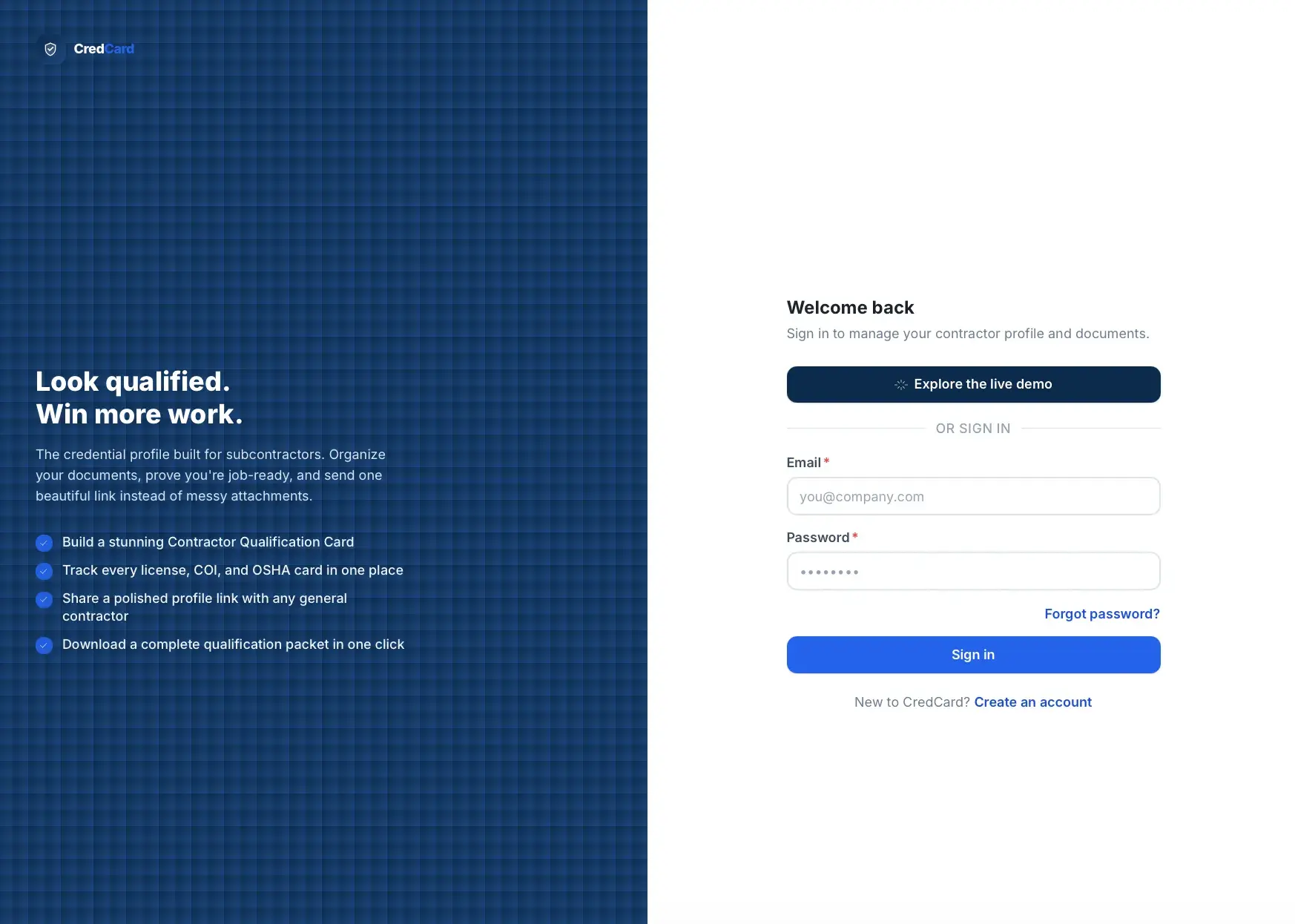
CredCard sign-in page for subcontractors with a dark feature panel ('Look qualified. Win more work.') and an email/password form plus an Explore the live demo button.
CredCard sign-in

What it solves

Subcontractor qualification documents are usually scattered across email attachments, phone photos, Google Drive folders, old PDFs, and paper files. This makes subcontractors look less professional, wastes time resending paperwork, causes missed jobs and expired-document compliance issues, and forces general contractors to chase qualification details.

Built for Independent subcontractors, trade contractors, and small construction companies (primary), and the general contractors, builders, developers, and compliance reviewers who review them (secondary).

Overview

The app lets subcontractors upload, organize, and track licenses, insurance, safety records, certifications, awards, and project references in one place, then present them as a polished Contractor Qualification Card. A trade-based checklist tells users which critical documents they are missing, expiration tracking flags renewals, and a profile strength score motivates completion. Subcontractors can generate a secure public profile link and download a professional PDF qualification packet to send to hiring general contractors. All private records are scoped per company, with per-document visibility controls governing what appears publicly.

What this demonstrates

It builds a trade-driven checklist engine that generates recommended credentials per trade, deterministic profile-strength scoring, and expiration status calculation. It generates premium PDF qualification packets server-side, serves secure public share profiles with regenerable tokens and section-level visibility controls, and stores uploaded files privately behind a storage abstraction (local filesystem or S3).

What makes it different

This is not Dropbox for contractors. This is a contractor qualification profile builder that produces a sendable Contractor Qualification Card.

  • Trade-based credential checklistThe selected trade drives which documents are recommended and critical.
  • Document vault with expiration trackingOne organized place for licenses, insurance, safety, and certifications.
  • Shareable public profileSend one professional link instead of scattered attachments.
  • Downloadable qualification packetExport a complete PDF packet for general contractors.
  • Profile strength scoreA motivating score that shows how job-ready the profile is.
  • Privacy controlsThe user chooses which documents appear publicly; sensitive items stay hidden.

Core capabilities · 11

  • Contractor onboarding

    Guided steps to company, trade, service area, and a first Contractor Card preview.

  • Trade selection system

    Selects one or more trades that control the recommended checklist items.

  • Smart credential checklistTrade-based checklist

    Generates recommended documents by trade across business, insurance, bonding, safety, and certifications.

  • Document vault

    Stores files with category, issue/expiration dates, status, visibility, and verification.

  • Contractor CardContractor Qualification Card

    Visual profile with trade, status tiles, awards, and project highlights.

  • Public share profile

    Secure public link exposing only approved sections and documents.

  • Qualification packet generator

    Exports a PDF packet with cover page, credentials, awards, and references.

  • Expiration tracking

    Tracks valid, expiring (60/30 day), expired, and missing-date documents.

  • Profile strength score

    Deterministic score that motivates profile completion.

  • Credential record system

    Structured license, insurance, bonding, safety, certification, award, project, and reference records.

  • Review and share tracking

    Tracks profile views, packet downloads, and last-viewed dates.

How it works

Subcontractor

  1. Sign up and select trade
  2. Enter company details
  3. Receive a recommended credential checklist
  4. Upload documents and add records
  5. App calculates profile strength
  6. App creates the Contractor Card
  7. Share the public link or download the PDF packet
  8. App tracks expirations and missing items

Reviewer

  1. Open the shared contractor link
  2. Review qualification badges
  3. Open credential sections
  4. Download the qualification packet if needed
  5. Contact the subcontractor

How the score works

Profile Strength Score

  • Critical documents uploaded

    Presence of the required critical credential documents.

  • Required trade credentials completed

    Completion of trade-specific certifications.

  • Insurance present

    Certificate of liability and related coverage on file.

  • License present

    Business and trade license records on file.

  • Safety documents present

    OSHA and related safety records added.

  • Project references added

    Notable projects and references included.

  • Awards and certifications added

    Recognition and extra certifications included.

  • Expired documents avoided

    Expired credentials reduce the score.

  • Public card completeness

    How complete the shareable card appears.
Key screens

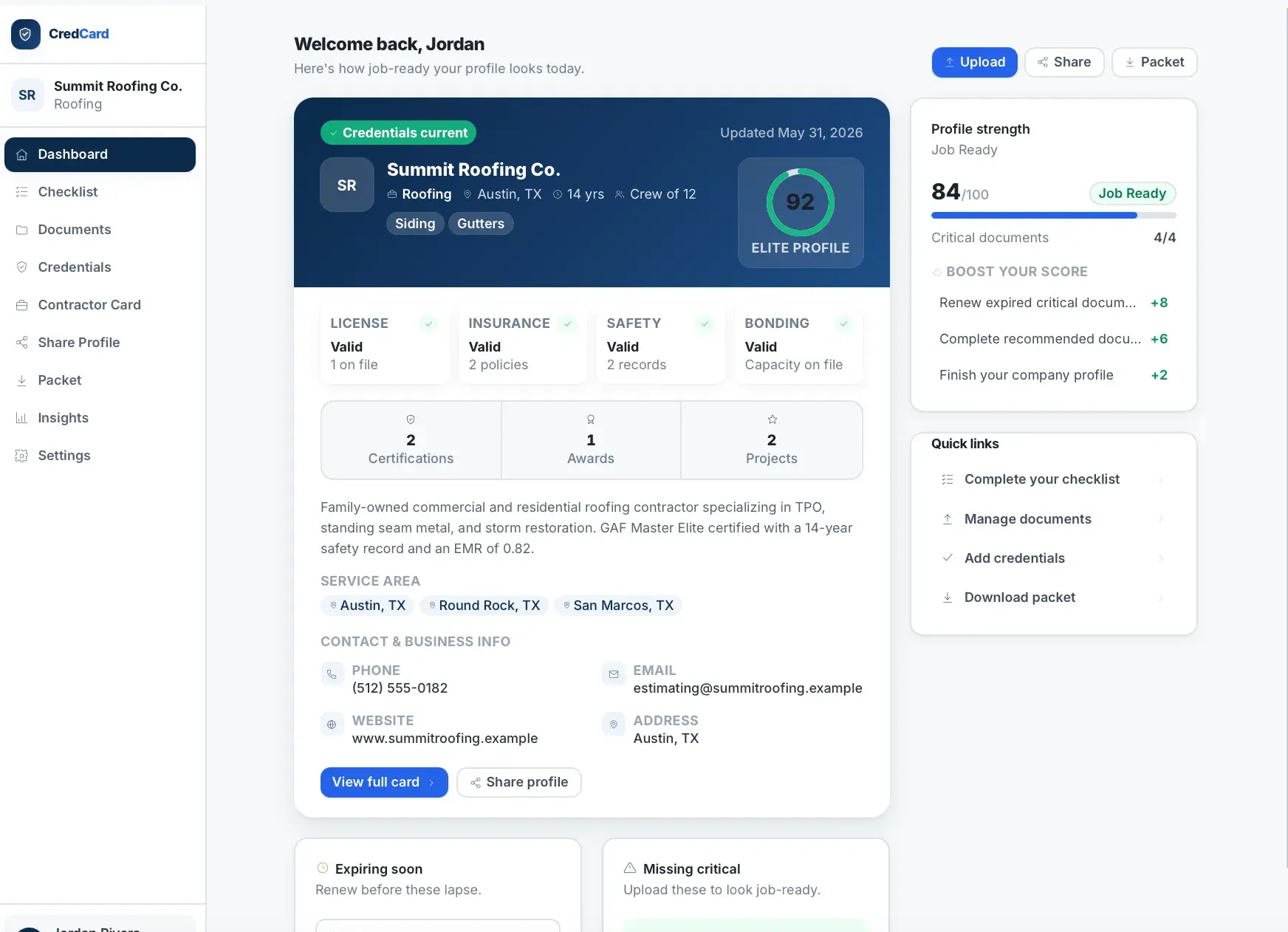
  • DashboardProfile strength, missing docs, expiring docs, and Contractor Card preview.
  • OnboardingFast guided company and trade setup.
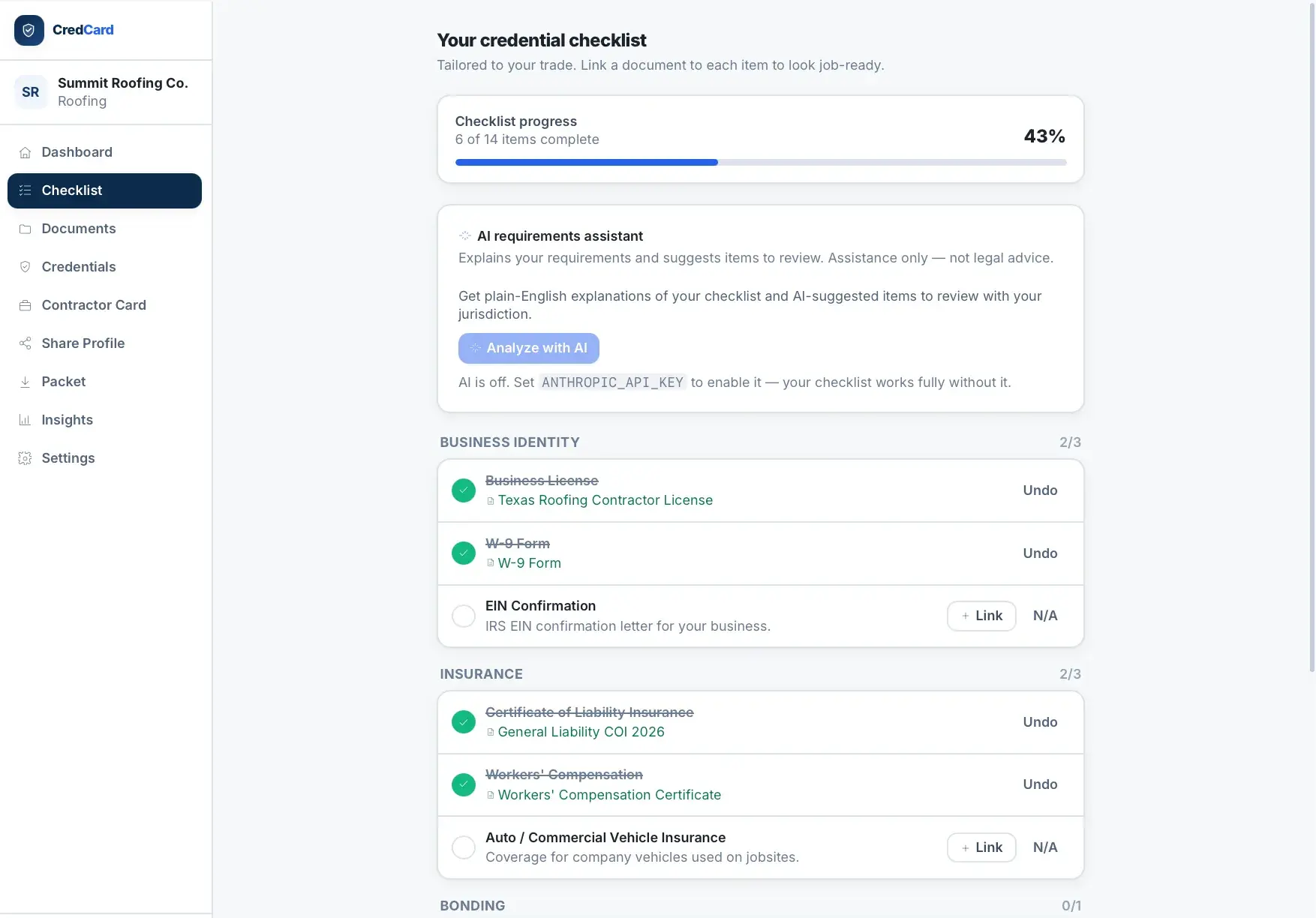
  • Credential checklistTrade-based guide showing what to upload next.
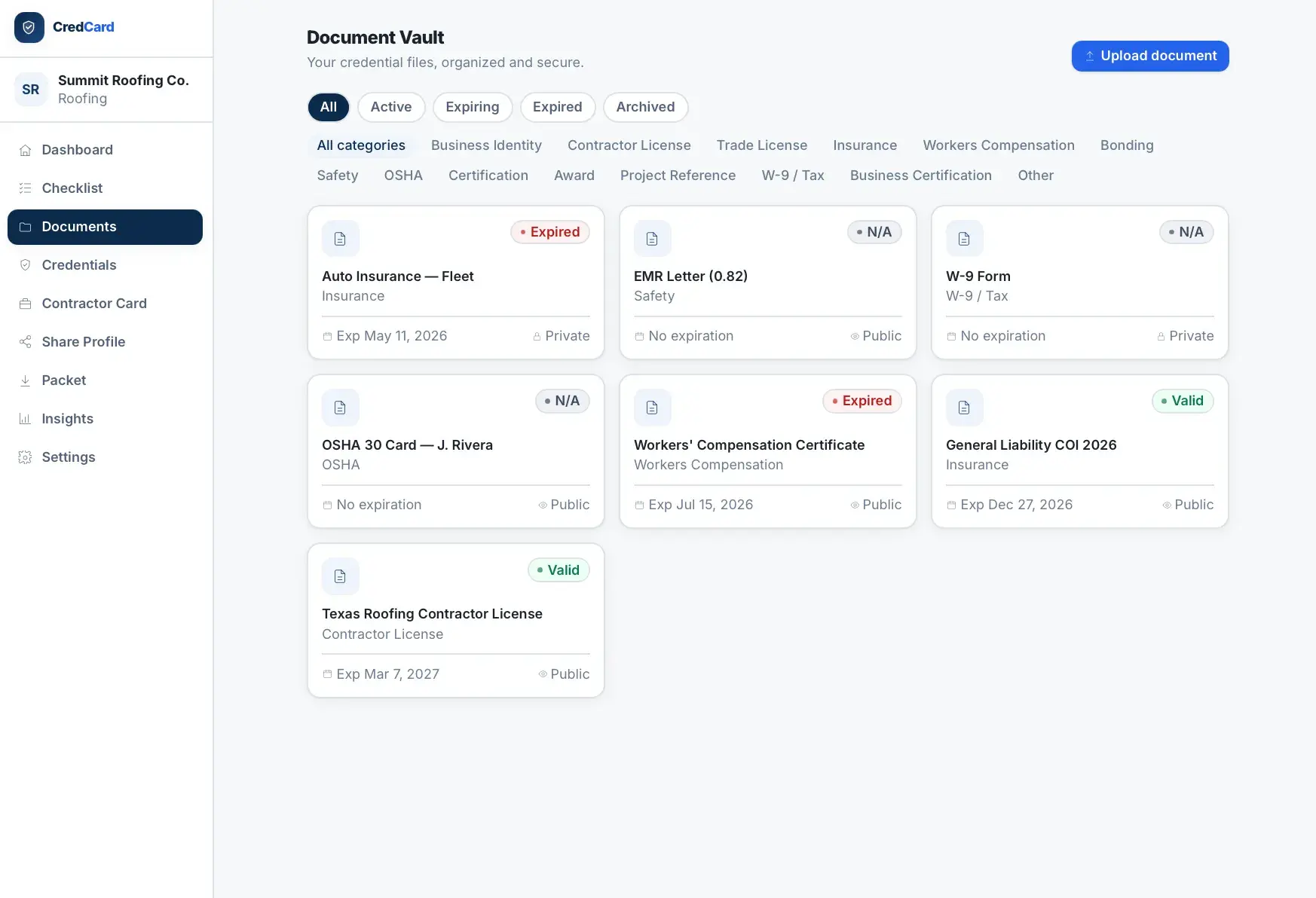
  • Document vaultDrag-and-drop uploads organized by category and status.
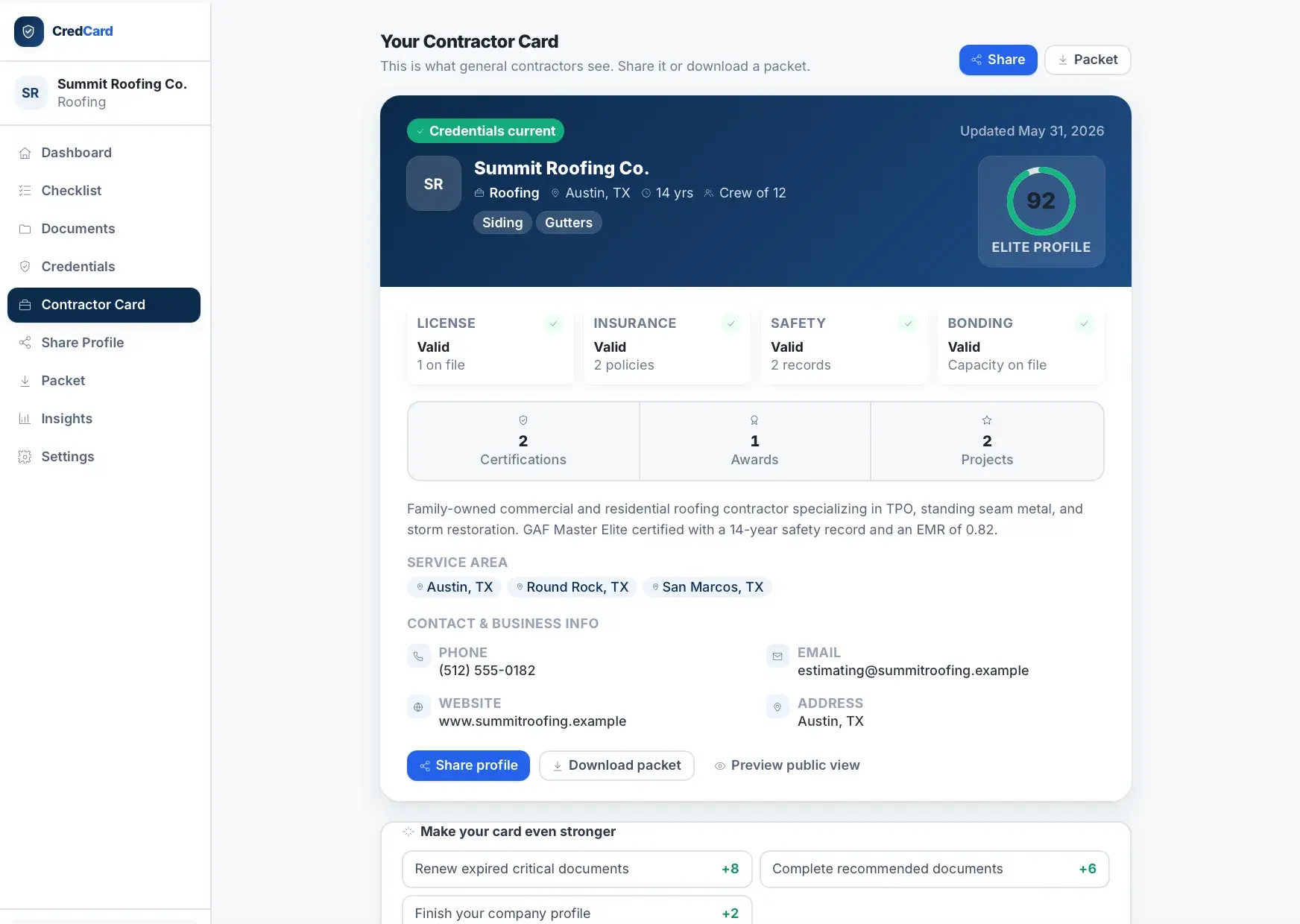
  • Contractor CardPremium visual profile card with status tiles and highlights.
  • Public share profileAccount-free public page for reviewers.
  • Qualification packetOne-click PDF packet generation with section selection.
  • Expiration dashboardExpiring soon, expired, and missing critical documents.

Data model

  • User
  • ContractorCompany
  • TradeType
  • CredentialChecklistTemplate
  • CredentialChecklistItem
  • CompanyChecklistItem
  • CredentialDocument
  • LicenseRecord
  • InsuranceRecord
  • BondingRecord
  • SafetyRecord
  • CertificationRecord
  • AwardRecord
  • ProjectRecord
  • ReferenceRecord
  • ShareLink
  • ShareActivity

Screens · 9

CredCard dashboard for Summit Roofing Co. showing an Elite Profile score of 92, License/Insurance/Safety/Bonding status cards, and a profile-strength panel at 84/100.
Contractor dashboard
CredCard credential checklist at 43% complete (6 of 14), an AI requirements assistant that is switched off, and Business Identity and Insurance items marked done or needing a linked document.
Credential checklist
CredCard Document Vault of credential file cards showing category, expiration date, and public/private plus Valid/Expired/N-A status, filterable by state and category.
Document vault
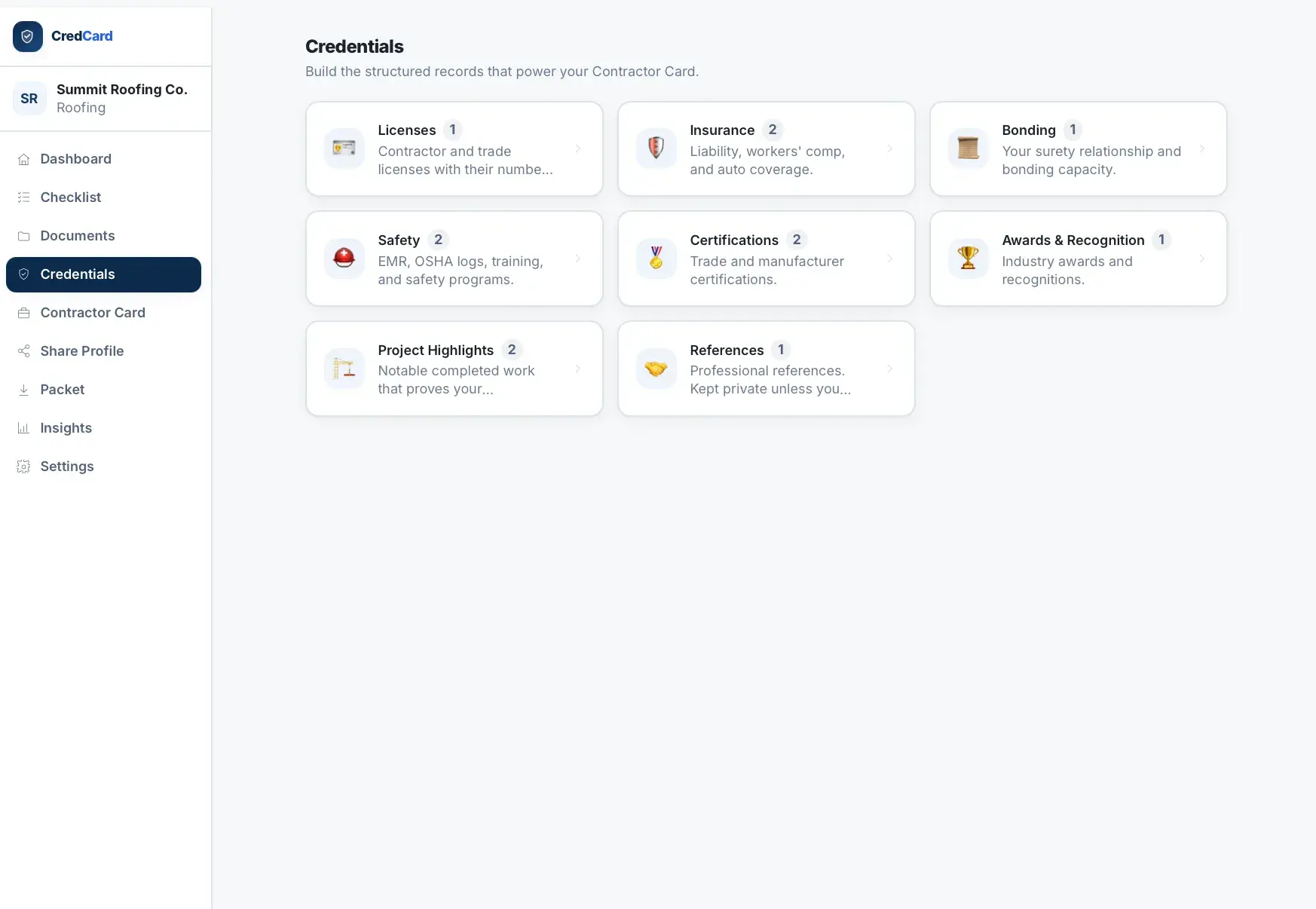
CredCard Credentials page with category tiles (Licenses, Insurance, Bonding, Safety, Certifications, Awards, Project Highlights, References) each showing a record count.
Credentials categories
CredCard Contractor Card preview for Summit Roofing Co. — the shareable view general contractors see, with score 92, credential status, company stats, and Share and Download packet actions.
Contractor card preview
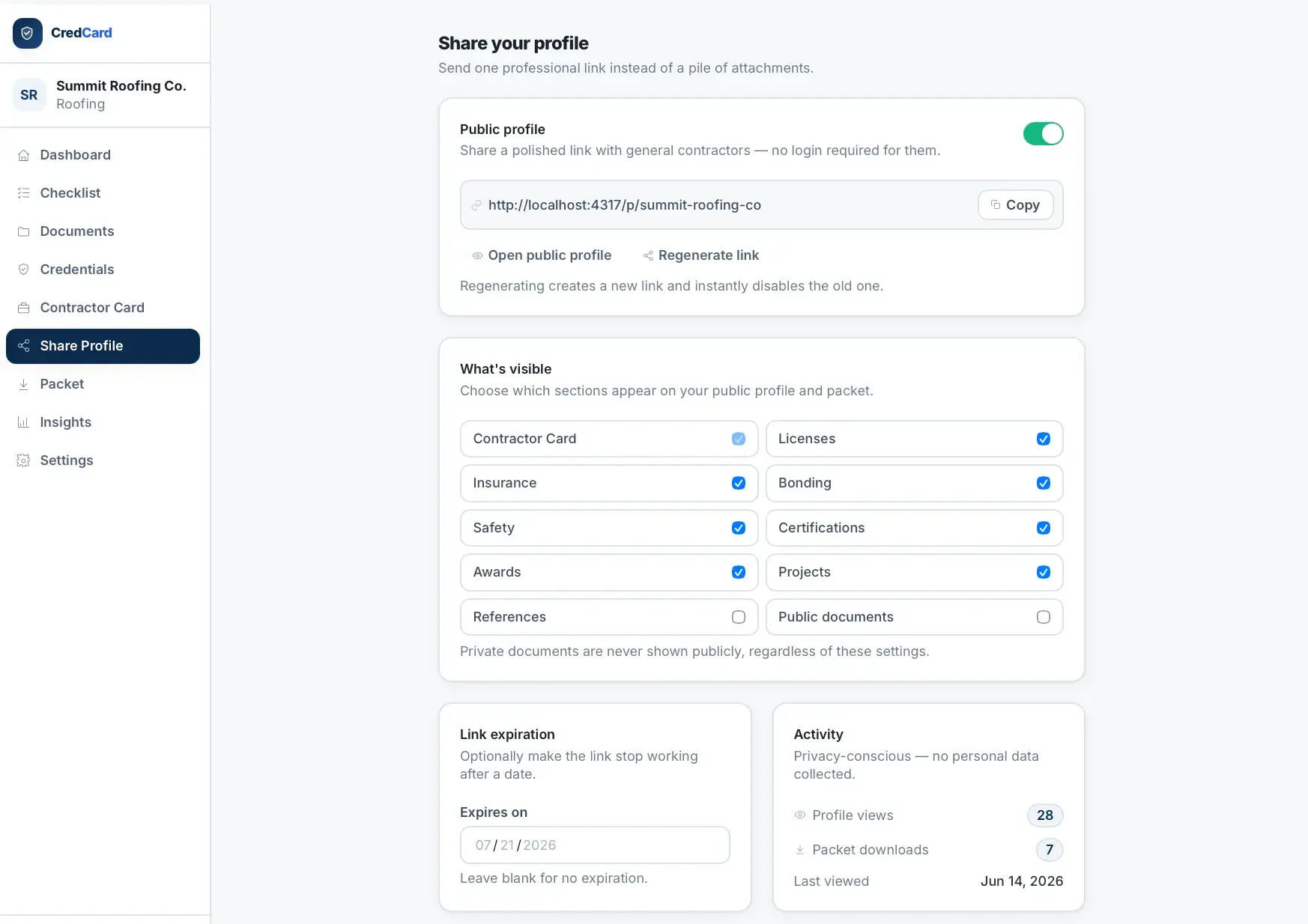
CredCard Share Profile page with a public-link toggle and copyable URL, section-visibility checkboxes, a link expiration date, and an activity panel of profile views and downloads.
Share profile settings
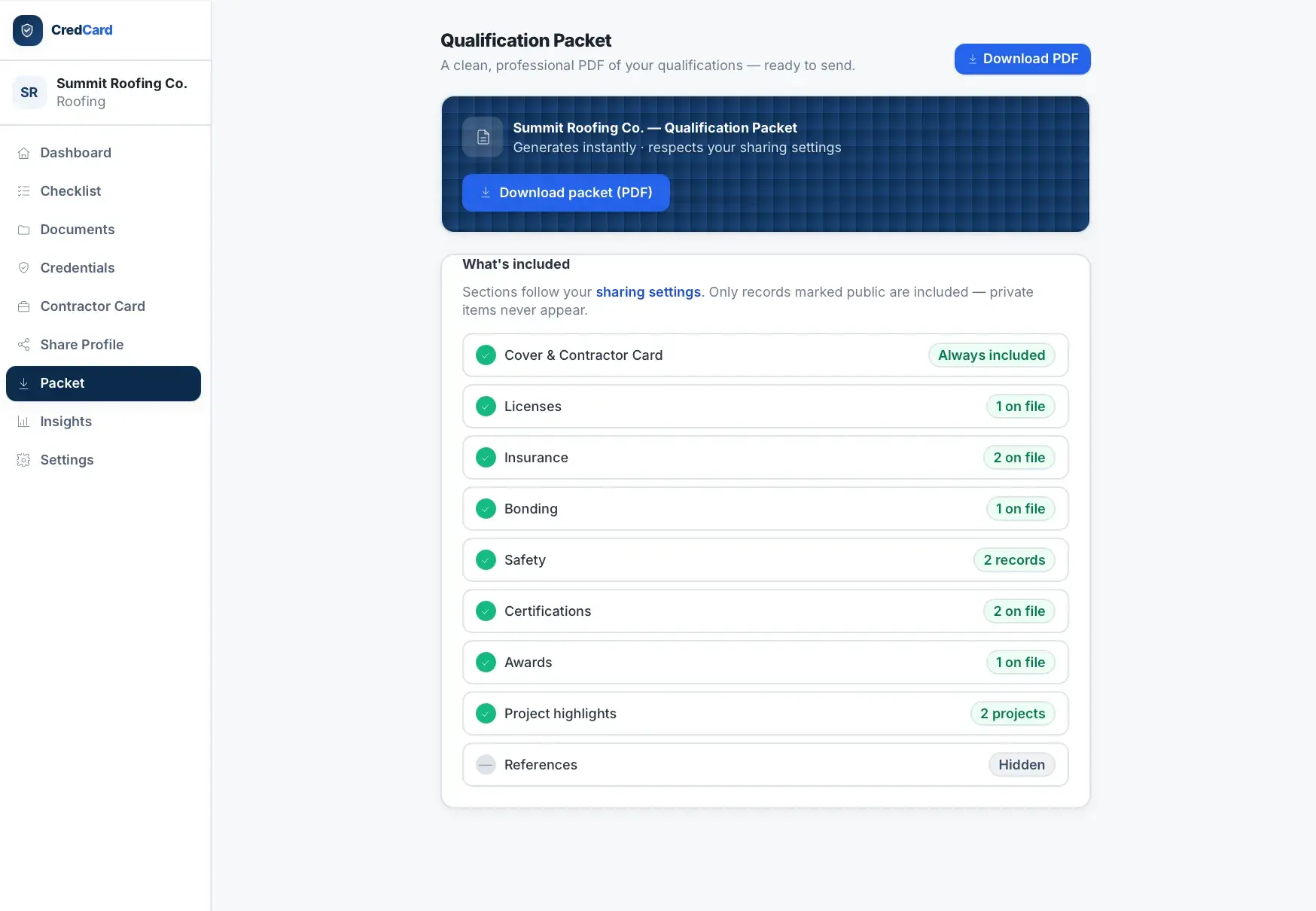
CredCard Qualification Packet page with a Download PDF button and a checklist of included sections (cover, licenses, insurance, bonding, safety, and more) with References hidden.
Qualification packet
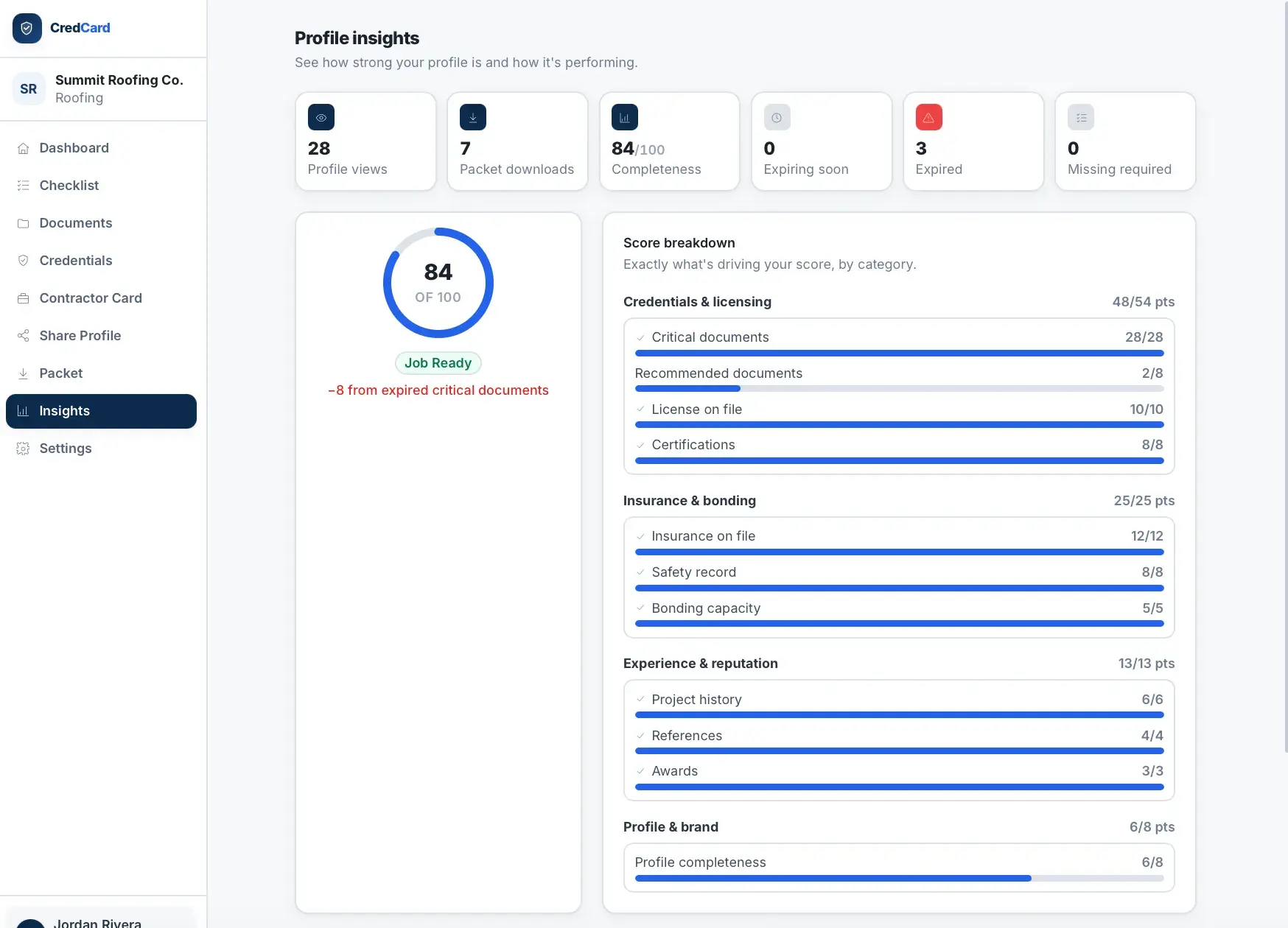
CredCard Profile insights page showing 84/100 completeness, stat tiles for views, downloads, and expired documents, and a score breakdown by category with progress bars.
Profile insights
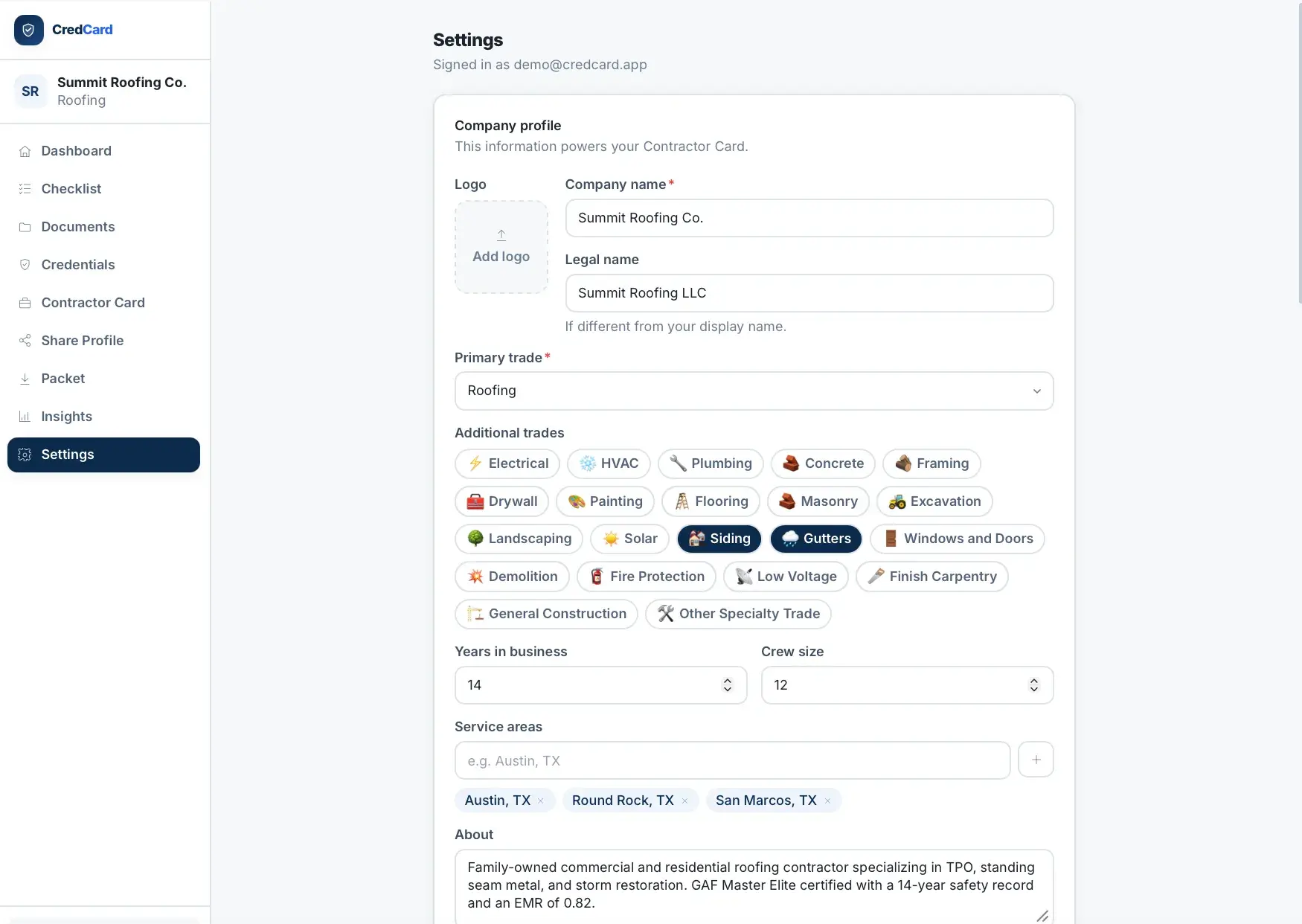
CredCard Settings company-profile form with logo, company and legal name, primary trade dropdown, selectable additional-trade tags, years in business, crew size, and service areas.
Company profile settings

How it is built

A Next.js and React application with Prisma over SQLite in development (Postgres-portable for production). Uploaded documents live in a private uploads directory or an S3 bucket, PDFs are rendered with react-pdf, and optional Claude explanations and Resend password-reset email are wired behind feature flags.

APIs and services

AWS
Anthropic
AWS S3
Resend
Sentry

Classification

Industries
Home Services

Related work

Lifetime health passport for pets: timeline, medical records, vet snapshot, and secure sharing.

PermitPilot AI

Functional Demo

AI permit preparation and tracking that moves contractors from project details to permit-ready packets.

RFI summary generator

In Development

AI command center that turns construction RFIs into summaries, risk scores, and executive reports.

Building something with similar Document Generation, Authentication, Dashboards functionality?

Start a project and reference this one — the conversation begins with what you have already seen.

Start a project