 Built In Oasis


AI Due Diligence Machine
Functional DemoA first-pass AI diligence analyst that builds an acquisition risk profile from public data, APIs, and uploaded documents.
AI command center that turns construction RFIs into summaries, risk scores, and executive reports.
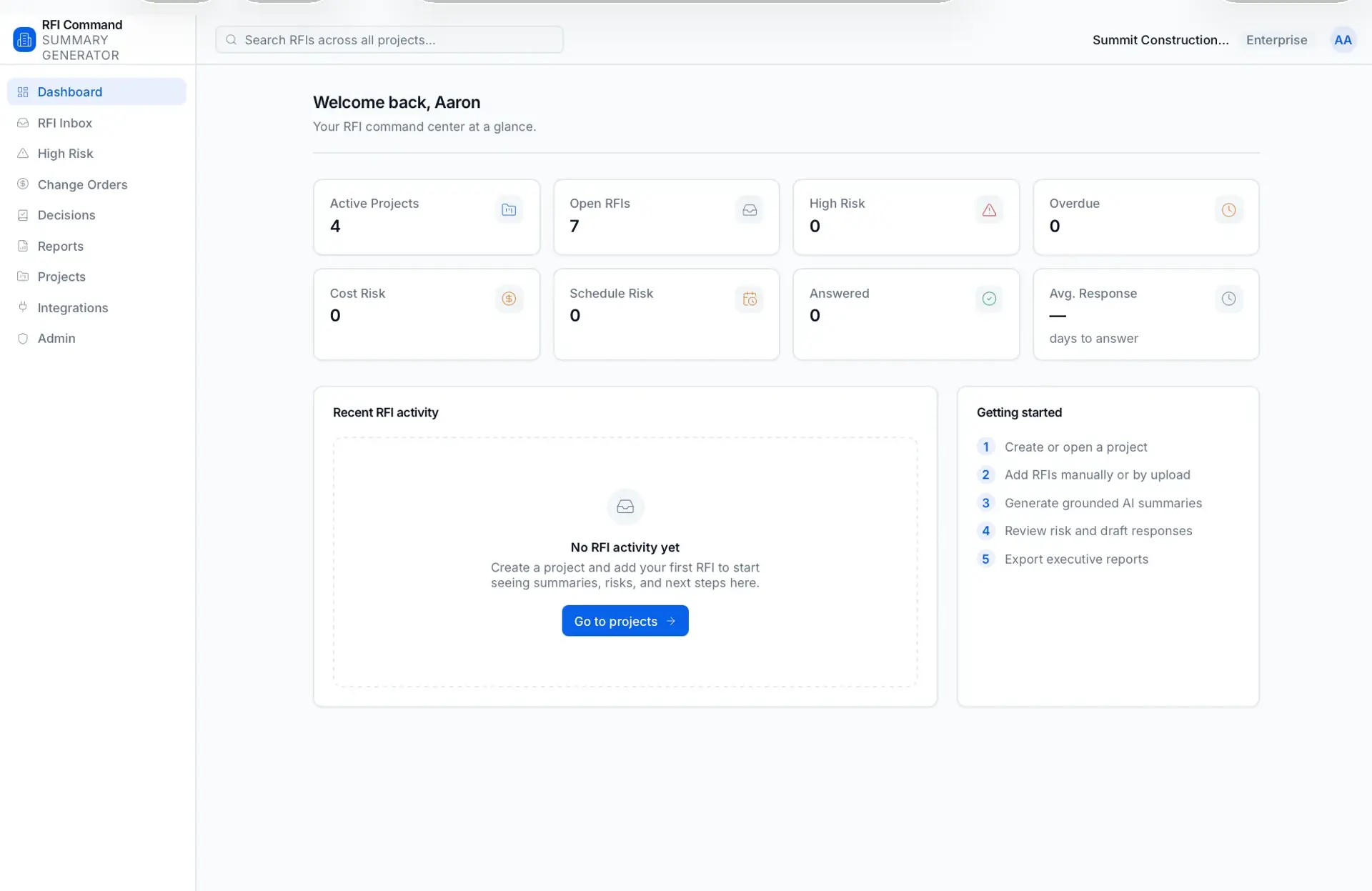
Construction RFIs are scattered across Procore, Autodesk Construction Cloud, PDFs, email threads, shared drives, drawings, specs, and subcontractor notes. As a result project managers waste time reading long RFIs, teams miss important issues, RFIs sit open too long, duplicates get created, and change-order and schedule risks are caught too late. Executives lack clean project visibility and past decisions are hard to search.
Built for Construction teams — general contractors, subcontractors, project managers, and construction management firms, from small contractors to enterprise.
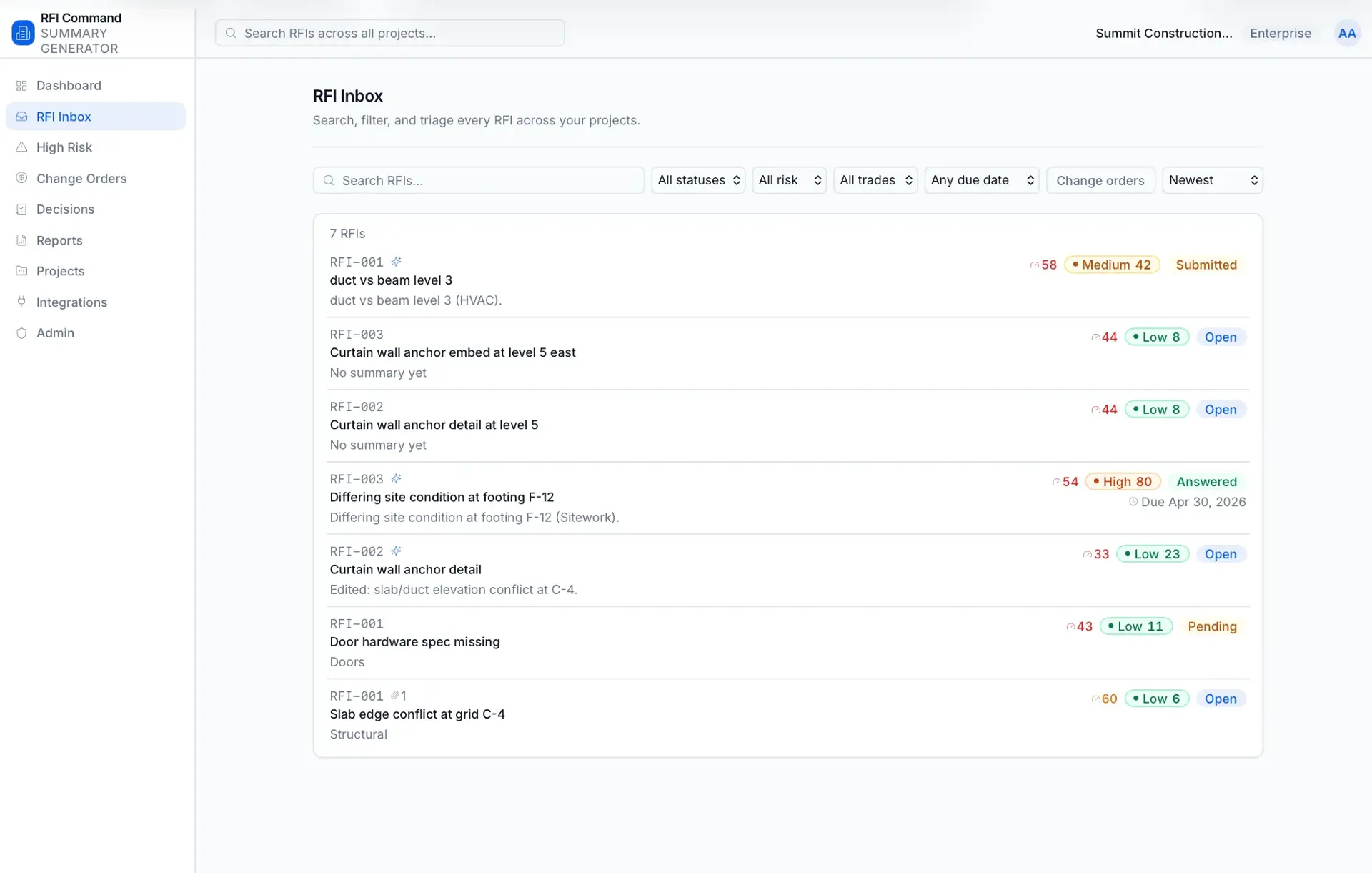
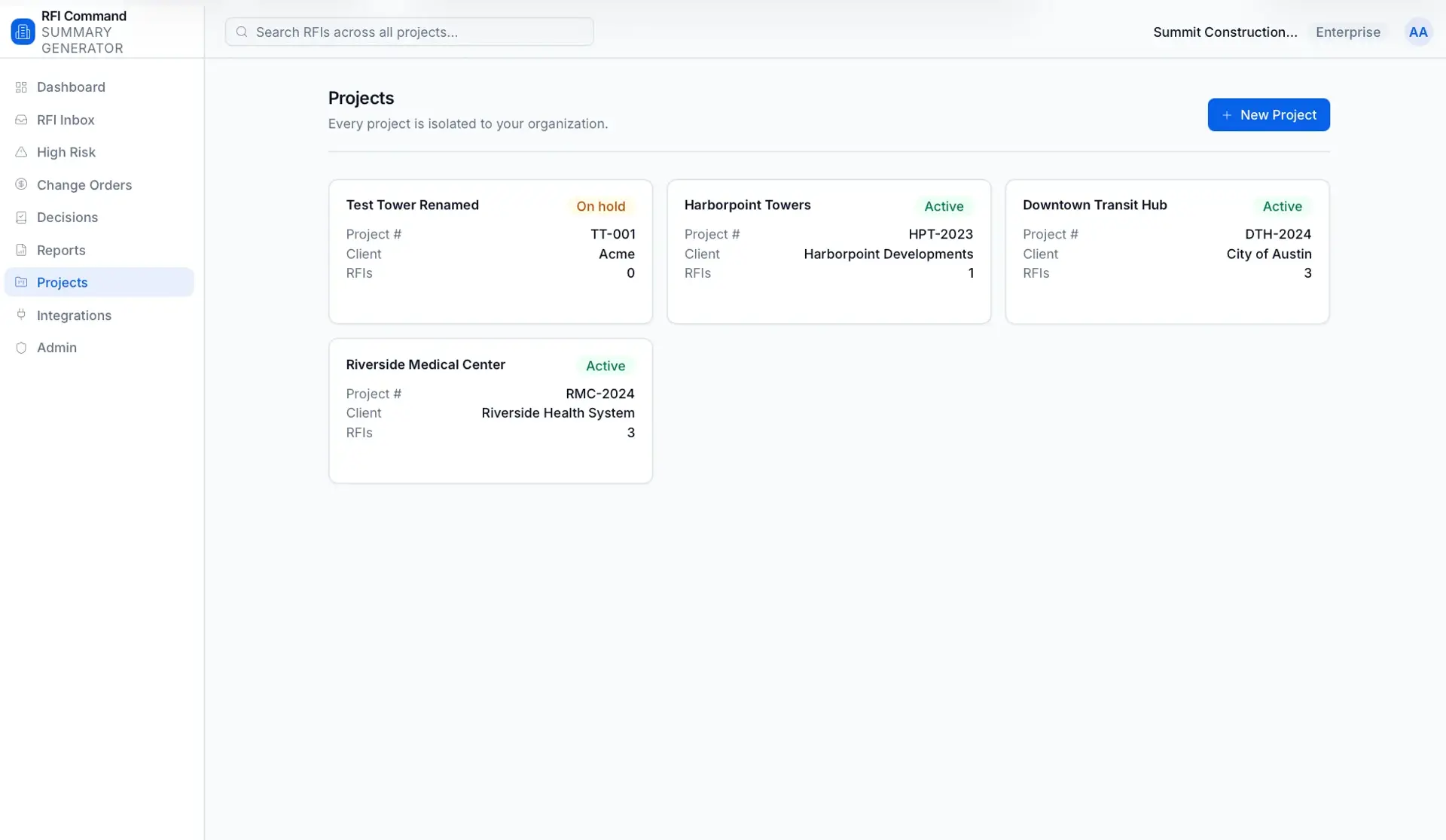
The app takes messy RFIs — PDFs, emails, documents, images, or pasted text — and produces clean summaries, extracted RFI fields, risk flags, action items, suggested responses, and executive-ready reports. RFIs live in a project workspace with a dashboard, an inbox with search and filters, and detail pages showing plain-English summaries, key issues, required decisions, and cost/schedule impact. Each RFI receives an explainable 0–100 risk score, and answered RFIs become a searchable project decision log. Reports can be exported to PDF, and the architecture is organized around organizations, projects, and provider-based integrations.
AI summarization grounded in uploaded document content with an offline deterministic mock provider so the app runs without a key, plus editable AI output. It builds explainable risk scoring, PDF report generation, file uploads to disk or S3, and multi-tenant organization isolation with custom JWT-based auth.
Not a basic document summarizer — an AI RFI command center that turns messy construction RFIs into clear decisions, risks, and next steps.
Project Dashboard
Totals for open, closed, overdue, high-risk RFIs and average response time.
RFI Inbox
The main work area with cards showing status, due date, risk, trade, and next action.
AI Summary View
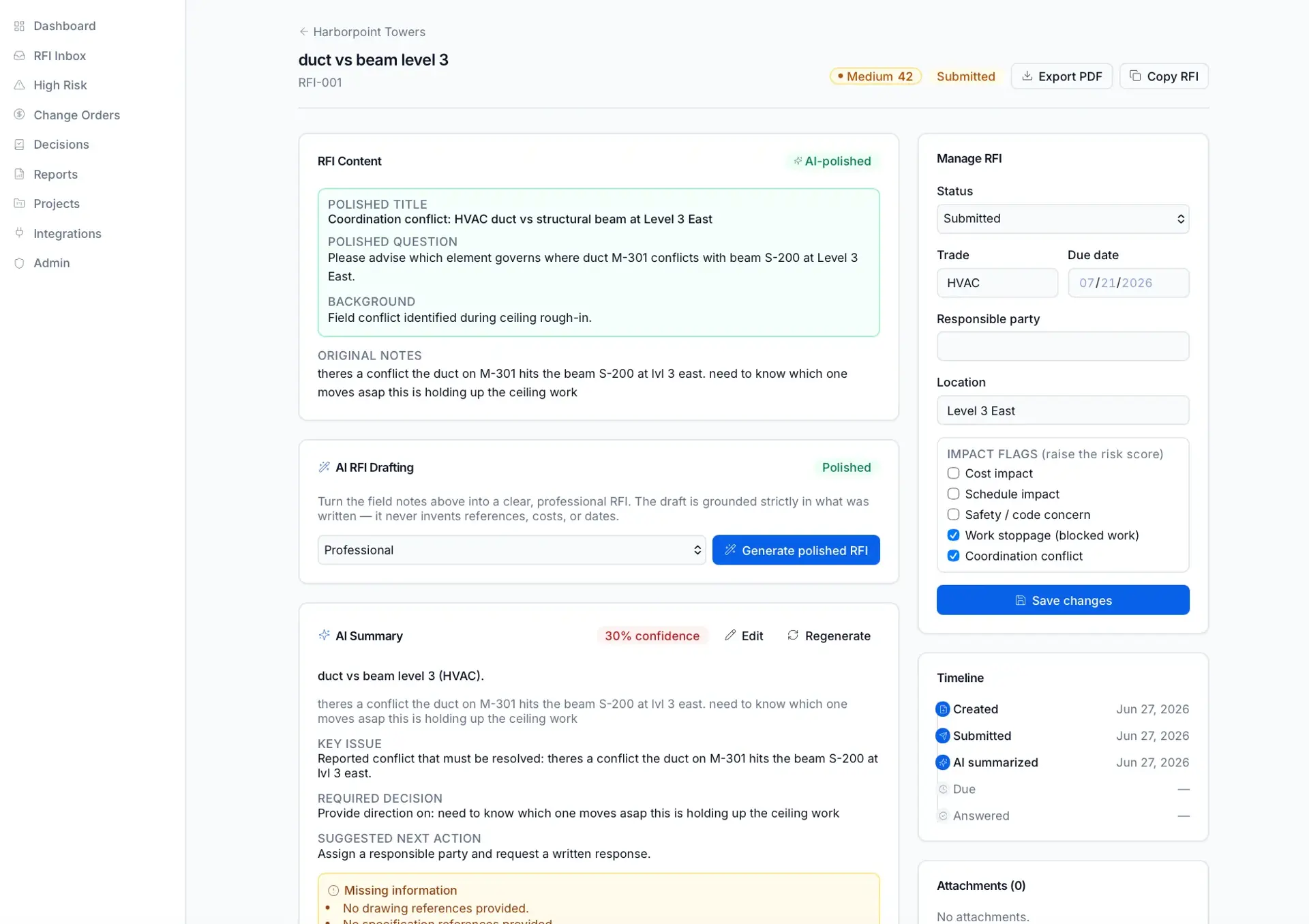
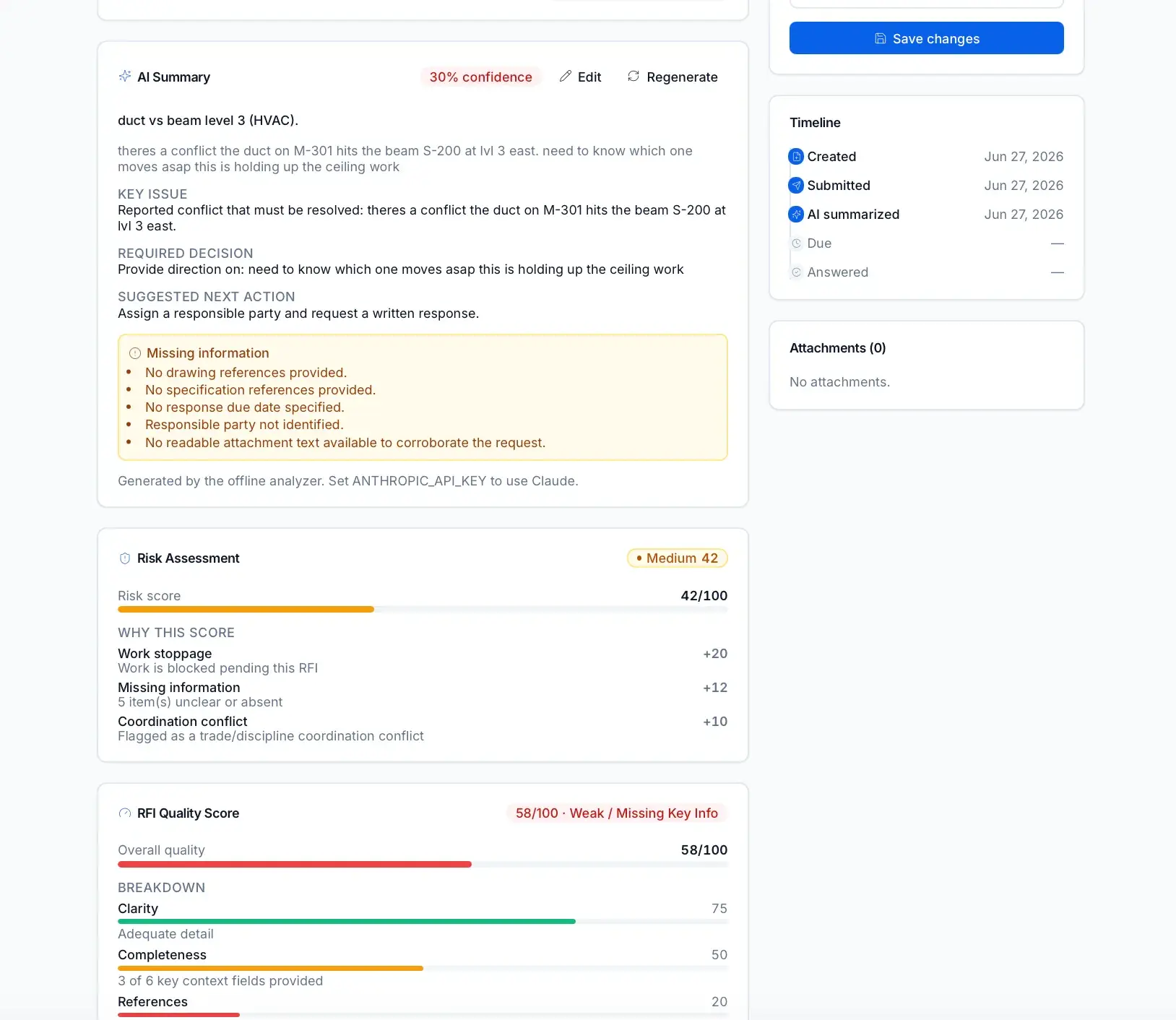
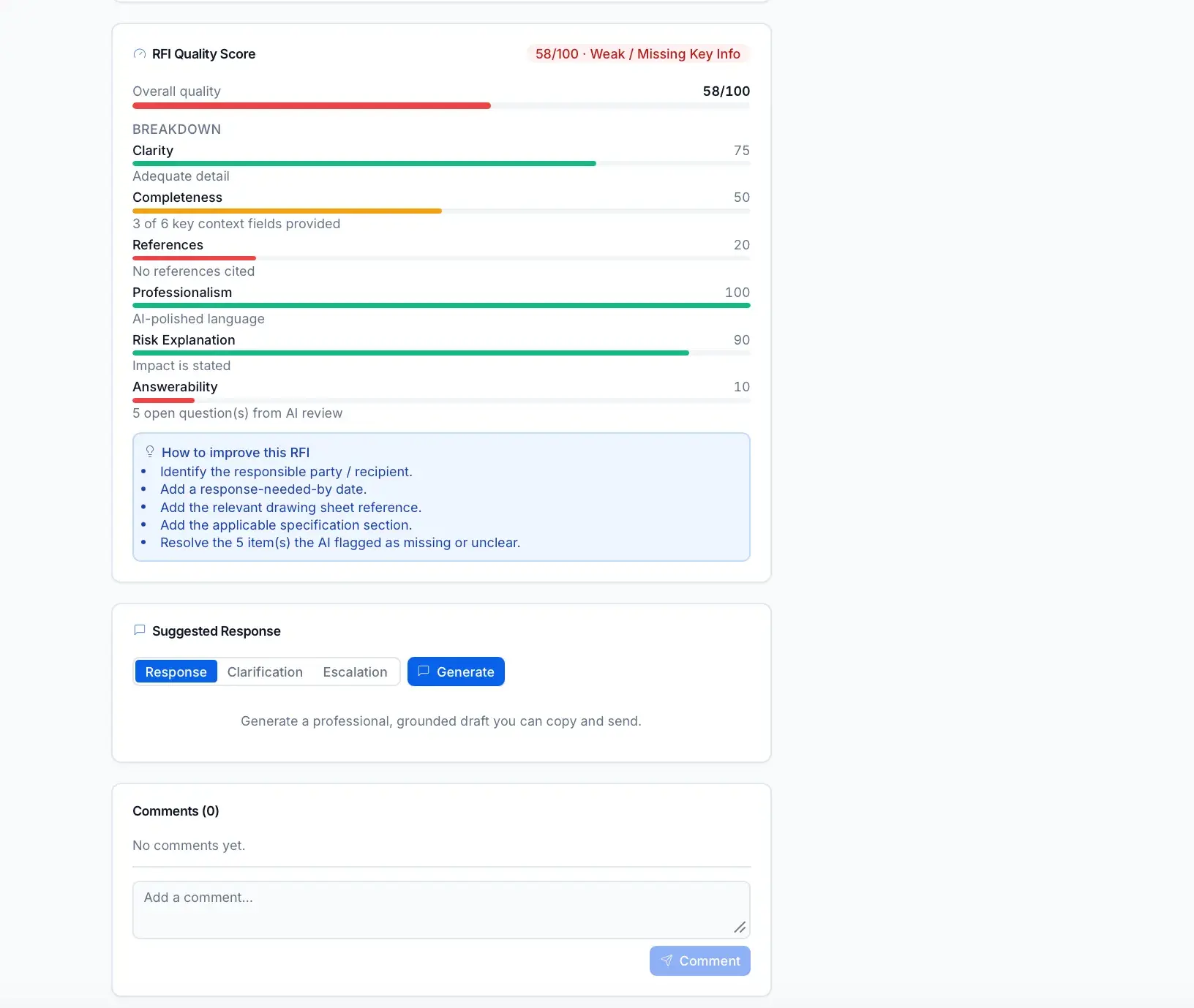
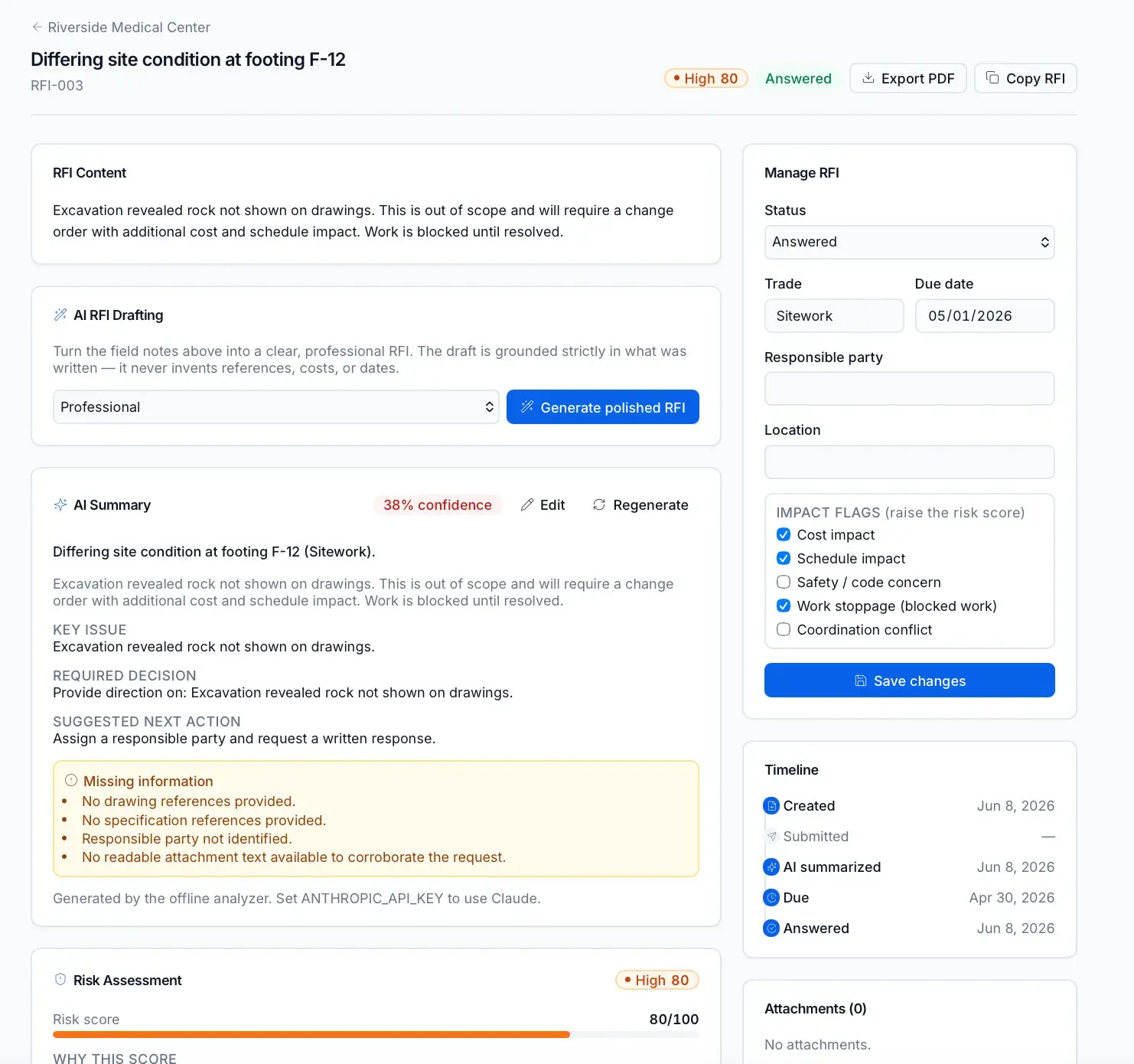
Plain-English summary, cleaned question, key issue, required decision, and impacts per RFI.
Risk Scoring
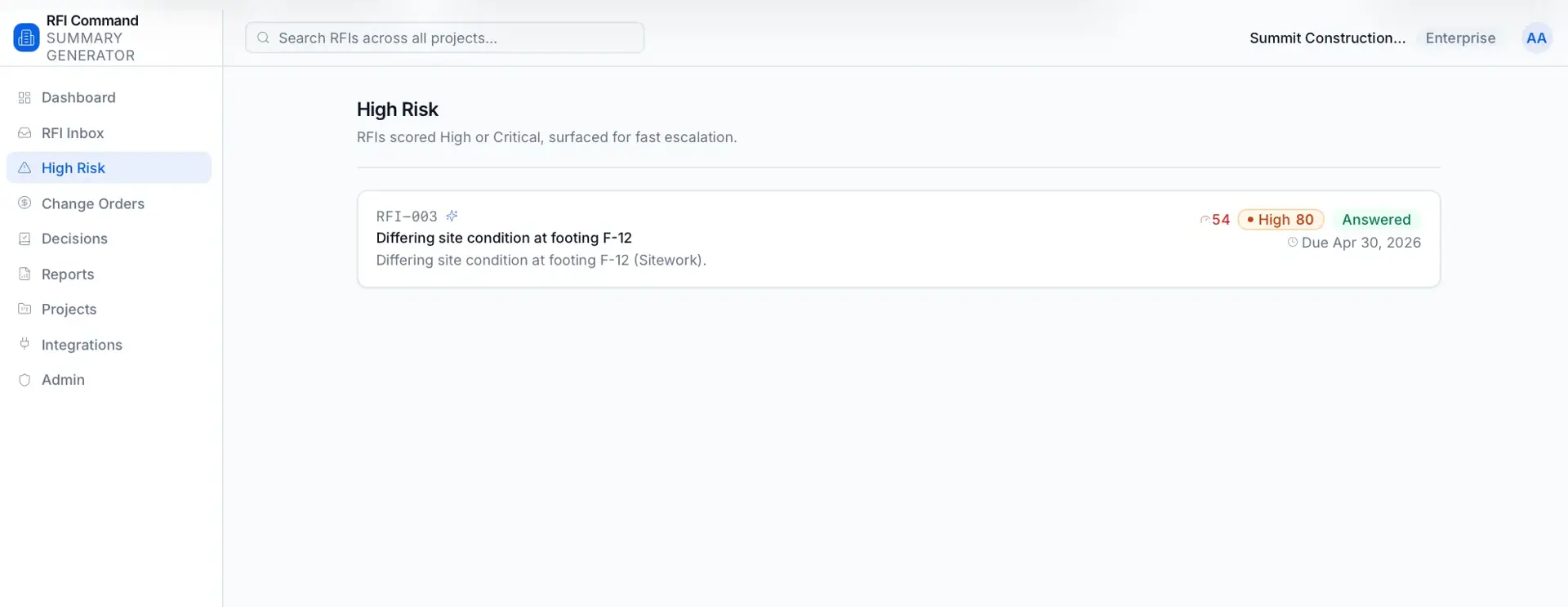
Scores every RFI 0-100 from days open, impacts, blocked work, and change-order language.
Executive Summary Generator
Weekly, high-risk, overdue, cost, and schedule reports plus a project health summary.
Duplicate RFI Detector
Detects similar or duplicate RFIs across a project.
Change Order Risk DetectorChange Order Watchlist
Flags RFIs that may become change orders based on risk language.
Smart Response Drafting
Drafts professional responses, clarification requests, and escalation messages.
Spec and Drawing Reference Assistant
Extracts and links drawing sheets, detail references, spec sections, and CSI divisions.
Project Decision Log
Turns answered RFIs into a searchable decision history.
Risk score (0-100)
How long the RFI has been outstanding.
How close or past the response deadline is.
The trade impacted by the RFI.
Potential cost exposure of the issue.
Potential delay to the schedule.
Whether referenced documents are missing.
Number of parties in the RFI.
Whether work is stopped pending an answer.
Whether the response is unclear.
Links to similar or connected RFIs.
Presence of language signaling a cost claim.
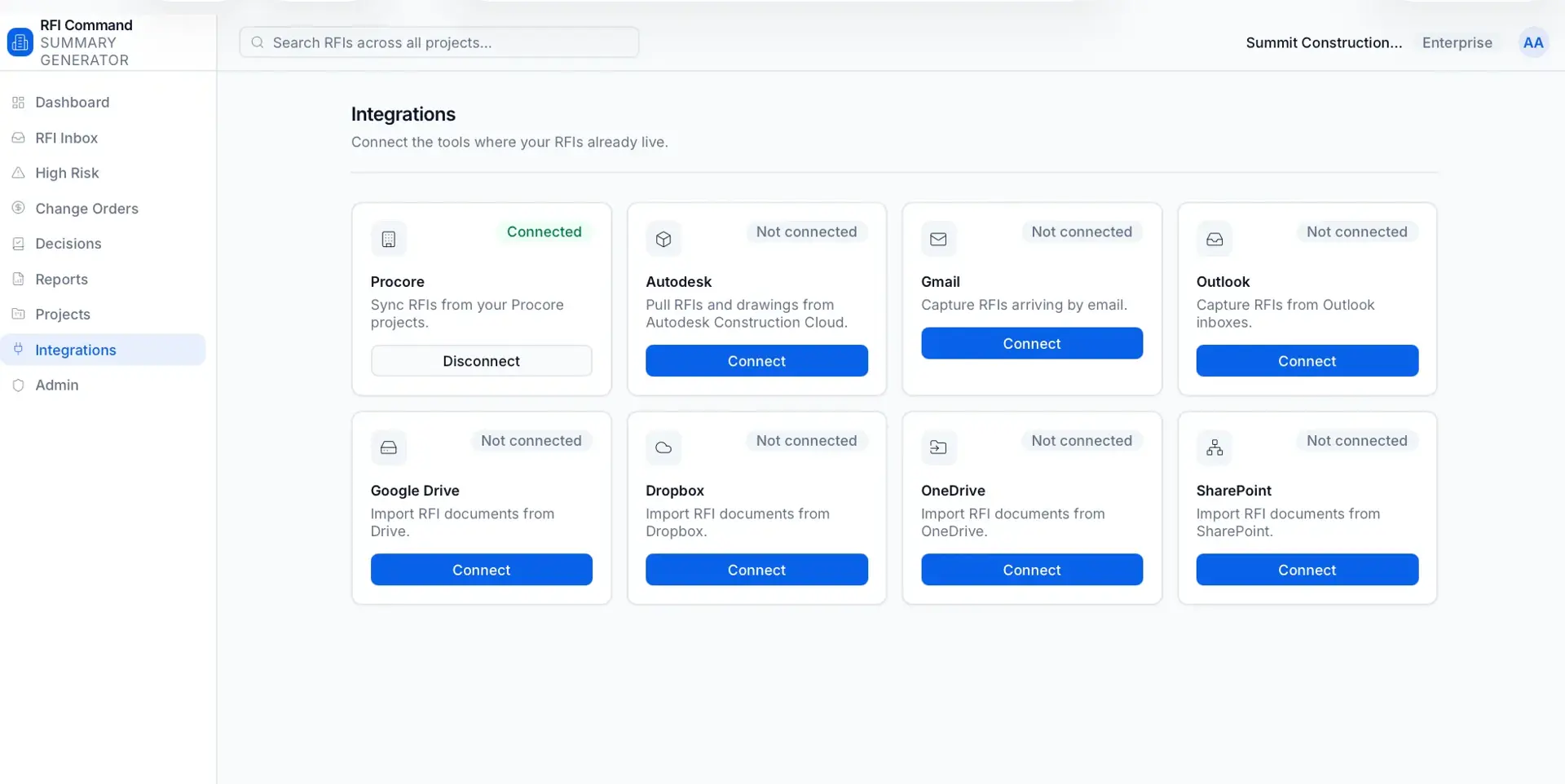
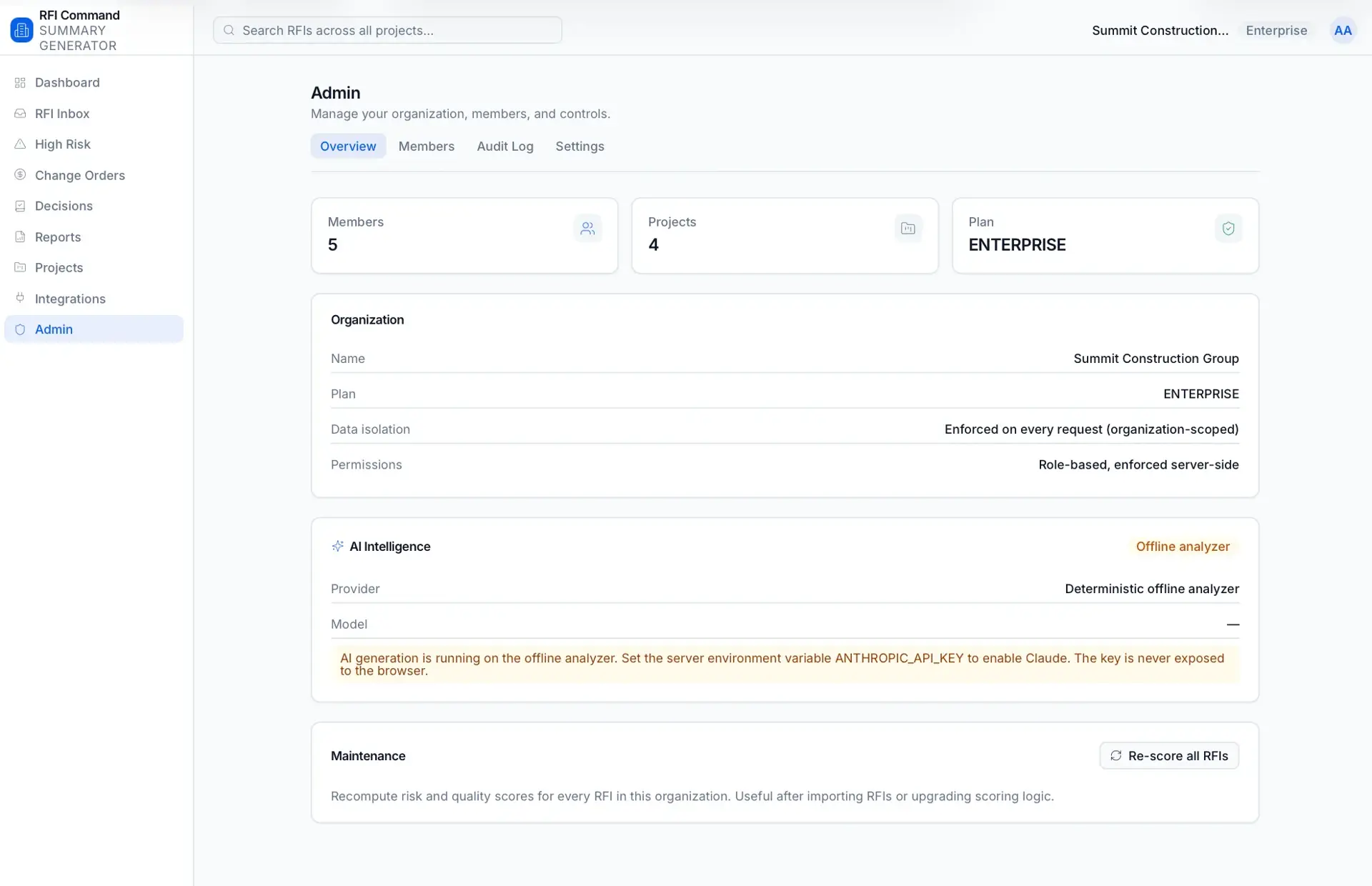
A Next.js application with a Prisma data layer over SQLite in development and PostgreSQL in production. Uploaded files are stored on local disk or in AWS S3-compatible object storage, authentication is custom (jose JWTs plus bcrypt), and Anthropic Claude powers summaries with a deterministic offline fallback.
A first-pass AI diligence analyst that builds an acquisition risk profile from public data, APIs, and uploaded documents.
Location intelligence that scores ZIP codes by industry-specific expansion opportunity.
An AI acquisition-intelligence platform that surfaces and scores off-market acquisition targets from public business signals.
Start a project and reference this one — the conversation begins with what you have already seen.
Start a project