 Built In Oasis
Fleet Cash Flow Command Center
Functional DemoReal-time operational and financial intelligence for trucking and logistics companies.
A profitability decision tool that tells truckers whether a load is worth taking before they accept it.
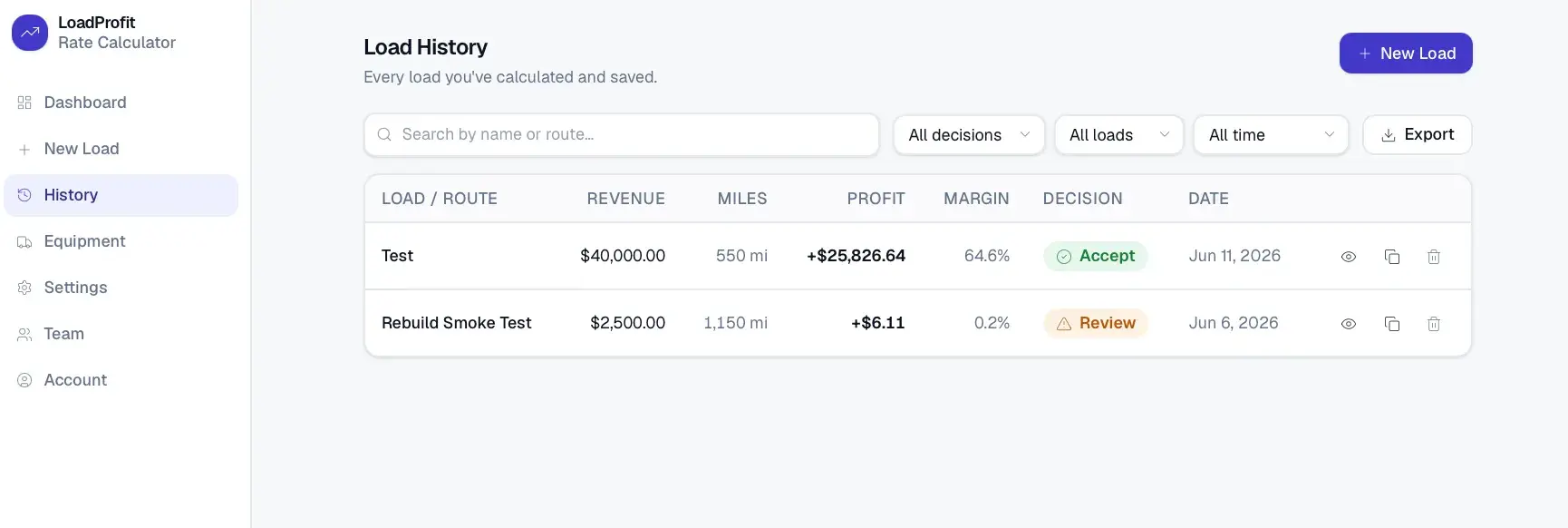
Truckers often accept loads based on gross pay without knowing the real profit. A load can look good upfront but turn unprofitable once fuel, deadhead miles, driver pay, equipment payments, insurance, maintenance, tolls, dispatch fees, and factoring fees are subtracted. There was no fast way to reduce all of those costs into one clear profitability answer.
Built for Owner-operators, small trucking companies, fleet owners, dispatchers, and logistics managers.
The Load Profit Calculator estimates the true profitability of a freight load before a trucker accepts it. A user enters load pay, loaded and deadhead miles, fuel price, and MPG and instantly sees net profit, cost per mile, revenue per mile, profit margin, break-even rate, recommended rate, and an Accept/Review/Reject decision. Advanced cost inputs, custom cost and revenue items, equipment profiles, and company cost settings let operators model real cost structures, while a warning and insight engine explains the result in plain language. Saved calculations preserve a snapshot of their assumptions, and a dashboard summarizes profitability across loads.
Shows an isolated, deterministic calculation engine with profit, decision, and warning logic separated from the UI. It proves snapshotting so saved results never change when settings change, workspace-scoped multi-tenant data with role-based access, and a clean progressive-disclosure interface over a deep cost model.
This is not a basic calculator — it is a professional decision tool that tells you whether a load is actually worth taking.
Load Calculator
Enter load pay, miles, fuel price, and MPG and get instant profitability.
Calculation Engine
Computes gross revenue, every cost category, and net profit.
Decision EngineAccept / Review / Reject
Returns a status from margin versus target profit.
Warning Engine
Flags high deadhead, high fuel share, thin margins, and low MPG.
Advanced Cost System
Tolls, permits, reefer fuel, lumper fees, lodging, and more.
Custom Cost Builder
User-defined costs by flat, per-mile, percentage, or quantity.
Equipment Profiles
Saved truck and trailer assumptions for MPG, payments, and maintenance.
Cost Settings
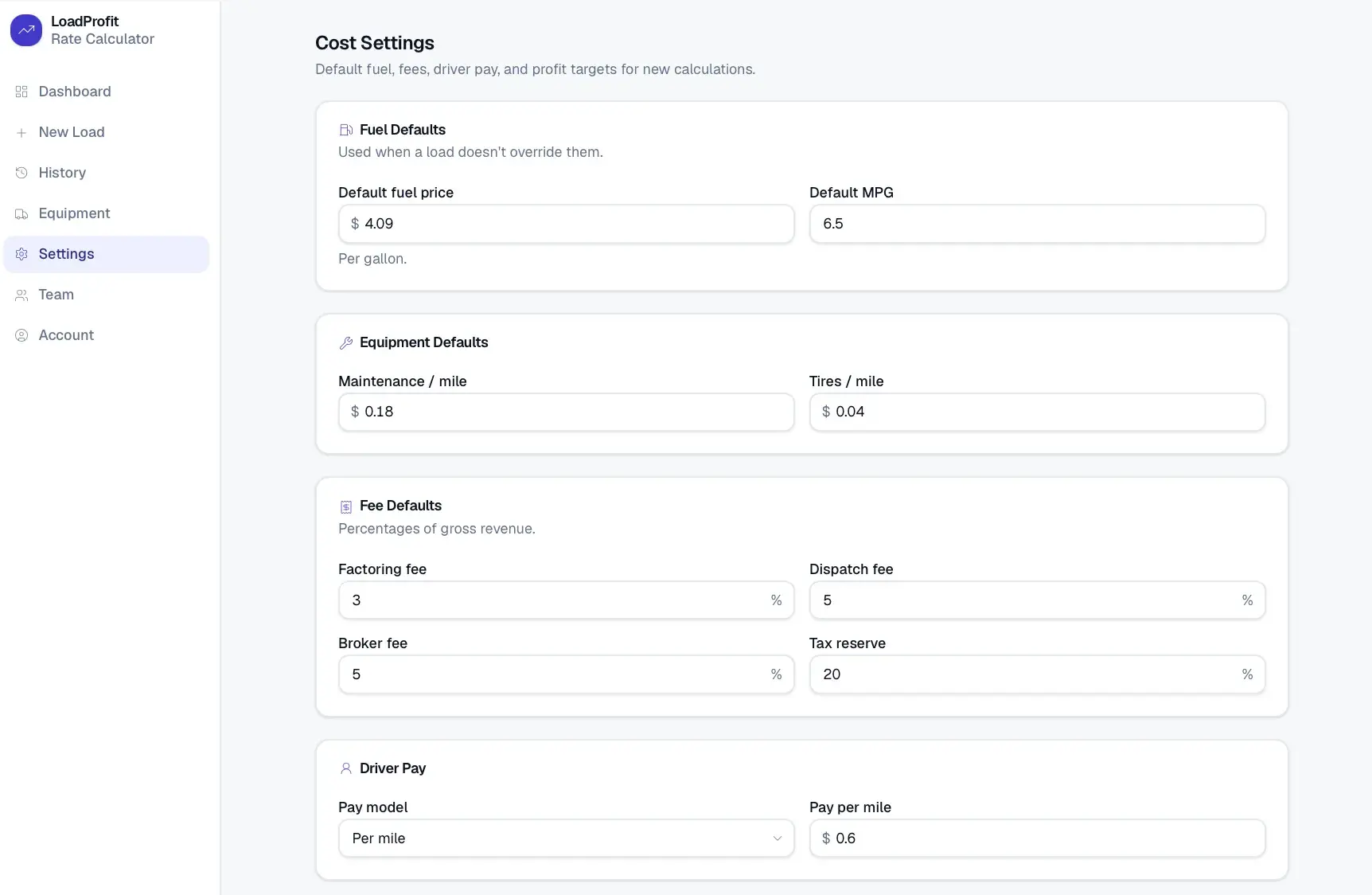
Company defaults for fuel, fees, driver pay, and target margin.
Driver Pay Models
Per-mile, percentage-of-revenue, or flat load pay.
Load History
Save, filter, duplicate, and compare past calculations.
Saved Load Detail
Full revenue, cost, and mileage breakdown from the snapshot.
Dashboard & Reporting
Averages, best/worst load, and profit-over-time charts.
Roles & Workspace Security
Admin, Dispatcher, and Viewer roles with workspace isolation.
Load Decision
Rejects the load when profit falls below zero.
Flags Review when positive but under target, Accept when at or above.
Warns when deadhead exceeds 25% of total miles.
Warns when fuel exceeds 35% of gross revenue.
The minimum per-loaded-mile rate needed to cover cost.
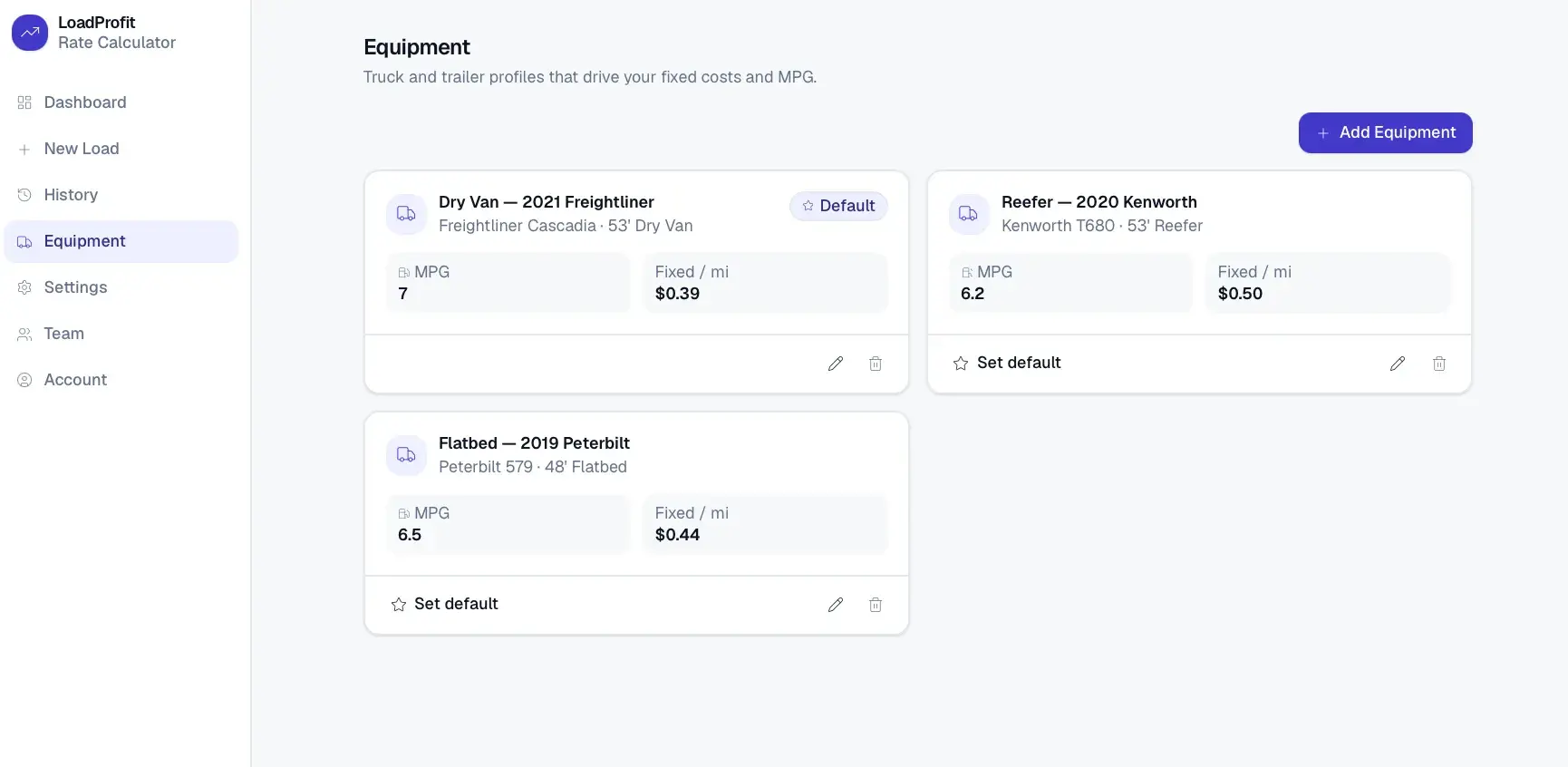
A Next.js and React frontend calls a modular TypeScript calculation library, backed by a Prisma data layer on SQLite. Custom JWT-based auth scopes every record to a workspace, and results render in dashboards and charts.
Real-time operational and financial intelligence for trucking and logistics companies.
An AI-assisted labor capacity simulator that models the workforce needed to hit a production goal.
Model SaaS burn, runway, and hiring across scenarios, then produce board-ready reports.
Start a project and reference this one — the conversation begins with what you have already seen.
Start a project