Functional DemoBusiness Platform

Equipment Checkout Tracker

QR-based equipment checkout and asset accountability for construction crews and warehouses.
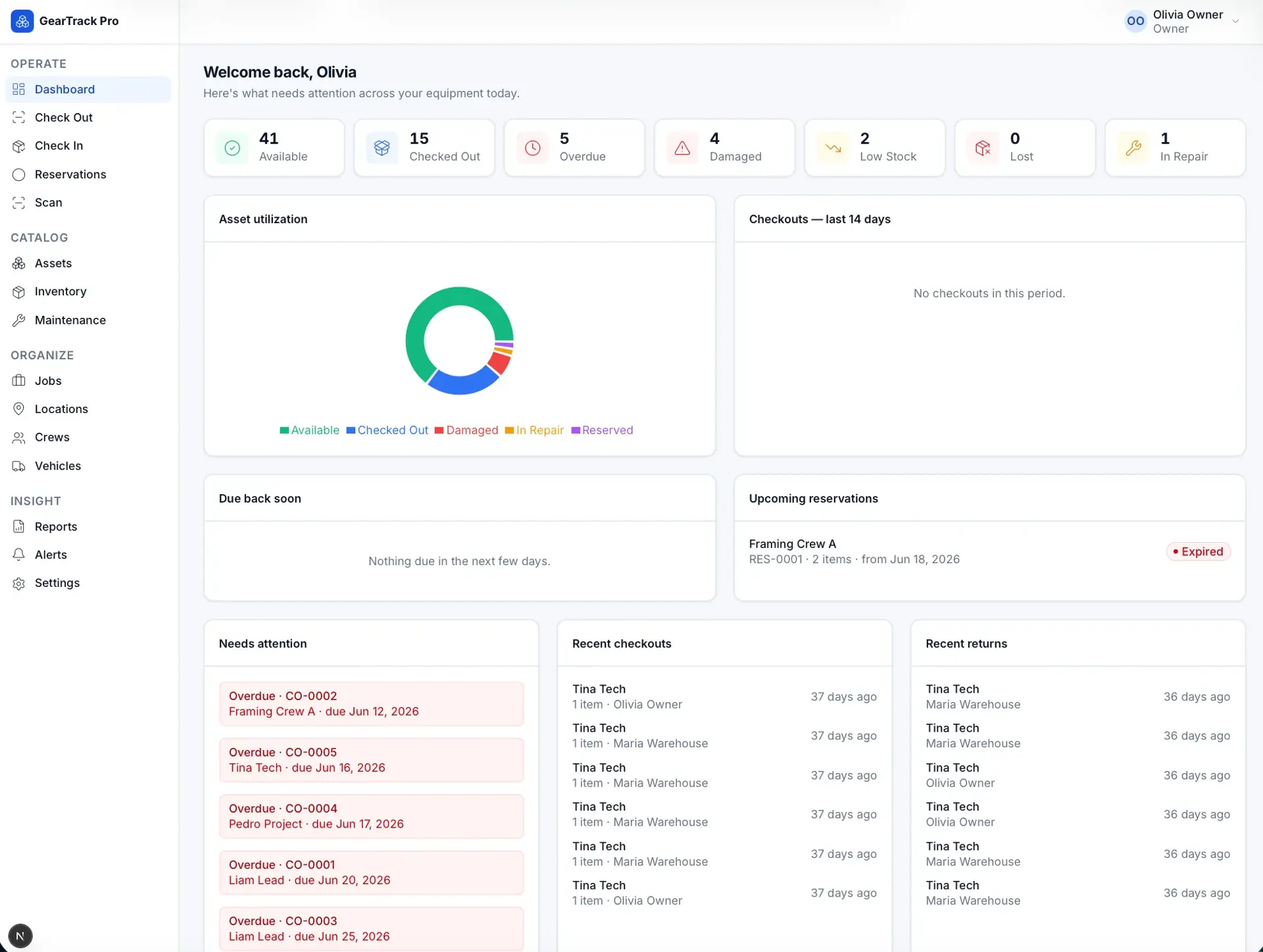
GearTrack Pro dashboard with status tiles (available, checked out, overdue, damaged), an asset-utilization donut chart, and needs-attention, recent checkouts, and returns panels.
Equipment dashboard

What it solves

Contractors lose tools and hit job delays because they track equipment from memory, texts, or spreadsheets. There is no fast, reliable way to know what exists, what is available, who has it, which job it is on, when it is due back, and what is overdue, damaged, or low in stock.

Built for Construction, roofing, electrical, plumbing, HVAC, restoration, and landscaping companies, general contractors, equipment warehouses, and service teams.

Overview

Admins add unique assets and quantity-based inventory and generate QR codes. Field workers scan or search an item, check it out, and assign it to a job, crew, vehicle, person, or location, recording condition and a due date, then check it back in with return condition. The dashboard shows what is available, checked out, overdue, damaged, lost, or low in stock, and every asset carries an immutable history timeline. It includes role-based access, alerts, reports, and CSV import/export, and stays simple enough to use from a phone in seconds.

What this demonstrates

Implements a multi-tenant, role-scoped data model supporting both unique-asset and quantity-based tracking, a QR generation and camera-scanning workflow, a checkout/check-in state machine with quantity and condition rules, and an append-only asset-event timeline where corrections create new events rather than rewriting history.

What makes it different

Scan it. Assign it. Track it. A clean, field-ready equipment tracking tool — not a complex ERP — simple enough for a phone in seconds while giving admins complete visibility.

  • Field-simple checkoutScan or search, pick a job or person, set a due date, confirm.
  • Two tracking modesUnique assets for identifiable items; quantity-based for counted inventory.
  • Tenant-scoped everythingEvery record belongs to an organization; QR scans never expose another tenant's data.
  • Immutable historyTimeline events are immutable; corrections create new events, never erasing history.
  • Availability rules enforcedRetired, lost, and damaged items cannot be checked out; quantities cannot go below zero.
  • Accountability by defaultEvery checkout and return records who, when, where, condition, and audit logs.

Core capabilities · 10

  • Asset & Inventory Catalog

    Manage unique assets and quantity-based inventory with categories, serials, and low-stock thresholds.

  • Locations, Jobs, Crews & Vehicles

    Create assignment destinations so equipment is tracked by where it is used.

  • QR Code System

    Generate, print, and scan QR labels for the fastest checkout and check-in workflow.

  • Checkout Flow

    Scan or search, set quantity, assign, set return date, and confirm condition in seconds.

  • Check-In Flow

    Return full or partial quantity, capture condition, and mark damaged, missing, or lost.

  • Asset History Timeline

    Immutable per-item record of checkouts, returns, transfers, damage, and repairs.

  • Admin Dashboard

    Real-time counts of available, checked-out, overdue, damaged, lost, and low-stock items.

  • Alerts & Notifications

    Overdue, low-stock, damaged, missing, and due-soon alerts from system events.

  • Reports & Exports

    Checked-out, overdue, damaged, job, and employee reports with CSV export.

  • Maintenance & Repair

    Track damaged equipment through repair and back to service, out of availability until fixed.

How it works

Admin

  1. Add equipment, tools, or inventory
  2. Generate QR codes
  3. Print QR labels
  4. See what is available, checked out, overdue, damaged, or missing

Field worker

  1. Scan or search an item
  2. Check the item out
  3. Assign it to a job, crew, vehicle, or employee
  4. System records date, user, location, condition, and due date
  5. Check the item back in
  6. Confirm condition and availability

Key screens

  • DashboardWhat needs attention today across all equipment.
  • Check OutFast scan-and-assign checkout.
  • Check InReturn with condition capture.
  • AssetsUnique asset records and status.
  • InventoryQuantity-based items and stock levels.
  • JobsJob sites and assigned equipment.
  • LocationsWarehouses and destinations.
  • ReportsUsage reports and exports.
  • SettingsRoles and admin configuration.

Data model

  • Organization
  • User
  • AuditLog
  • AssetCategory
  • Asset
  • InventoryItem
  • Location
  • Job
  • Crew
  • Vehicle
  • QRLabelBatch
  • Checkout
  • CheckoutItem
  • CheckoutPhoto
  • AssetEvent
  • Notification
  • MaintenanceRecord

Screens · 9

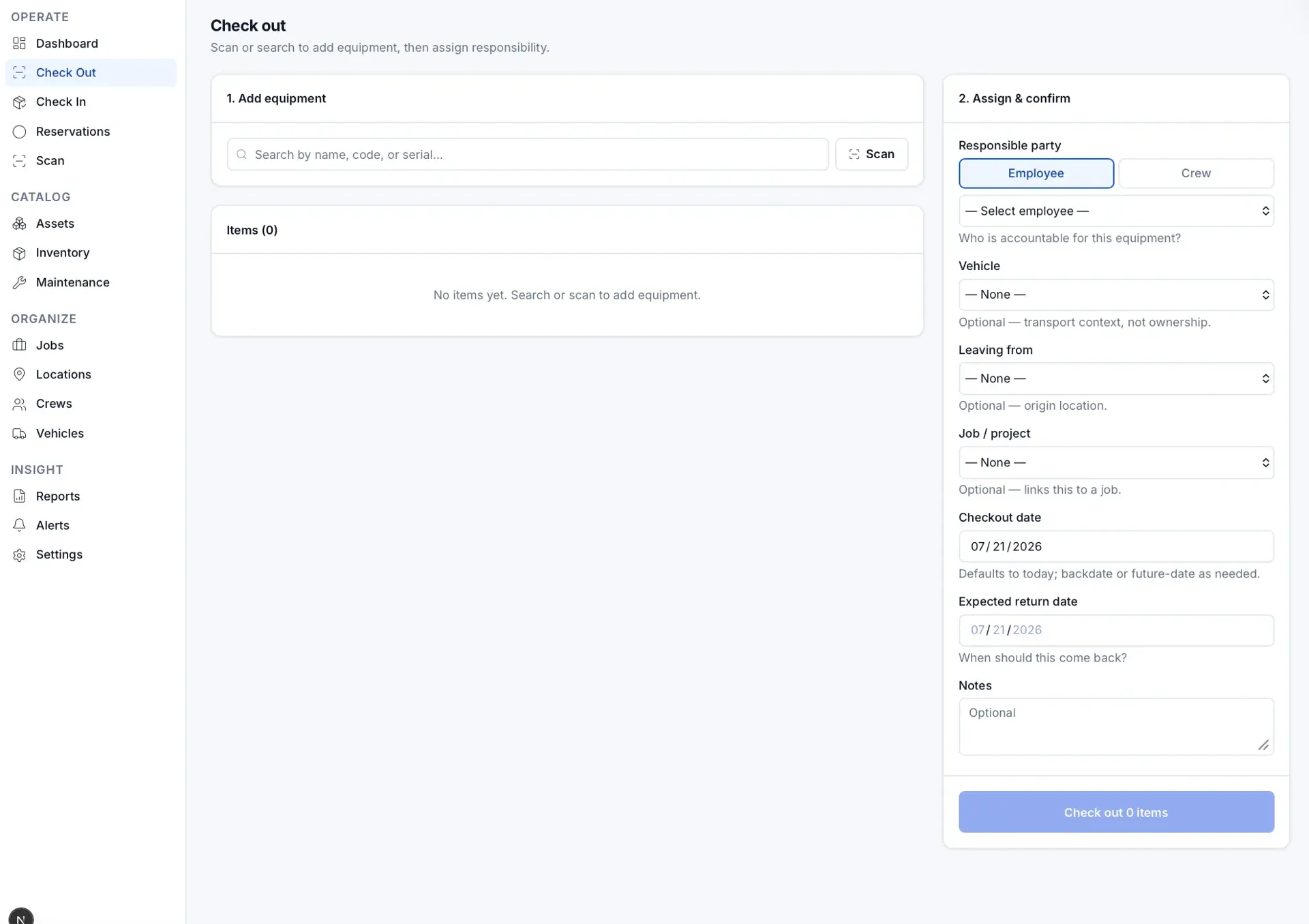
Check-out screen: left panel to search or scan equipment (no items added), right panel to assign a responsible party, vehicle, location, job, and return date.
Check out equipment
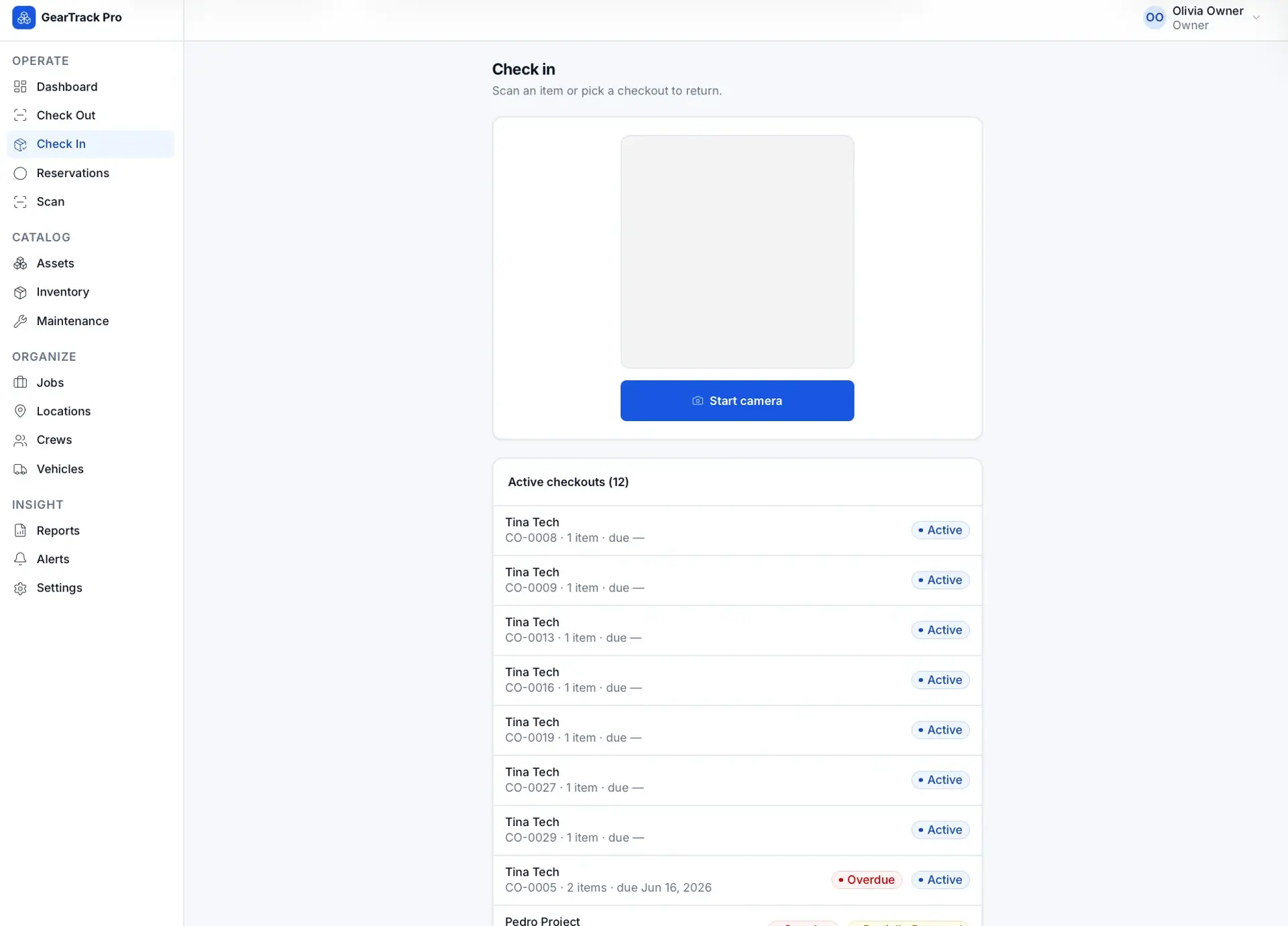
Check-in screen with a camera scan area to return items and a list of 12 active checkouts, most marked Active and one overdue.
Check in / active checkouts
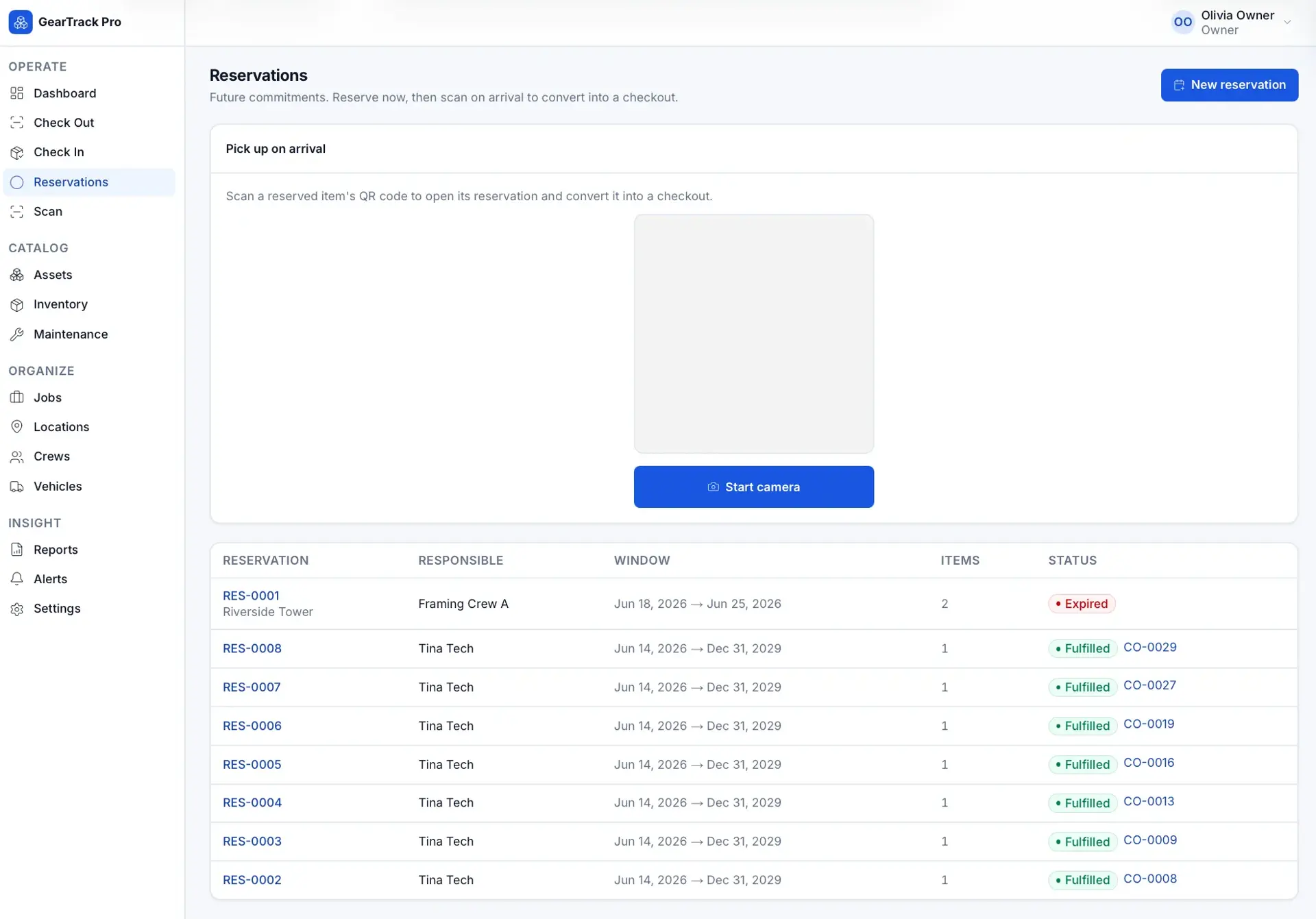
Reservations page with a scan-to-pick-up camera panel and a table of reservations showing responsible party, date window, item count, and status (expired or fulfilled).
Reservations
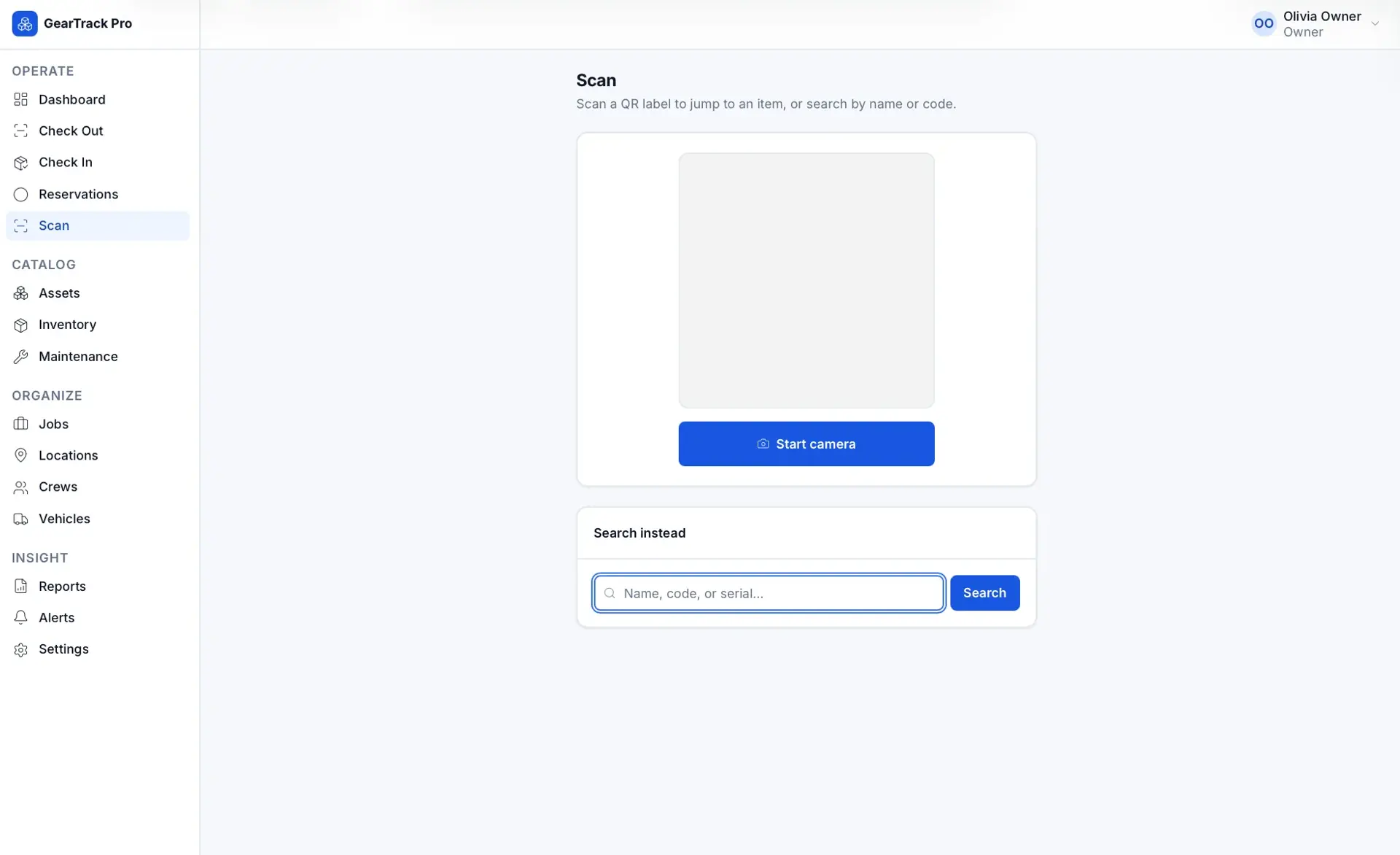
Scan screen prompting to scan a QR label with a start-camera button, plus a search-instead field for name, code, or serial.
Scan
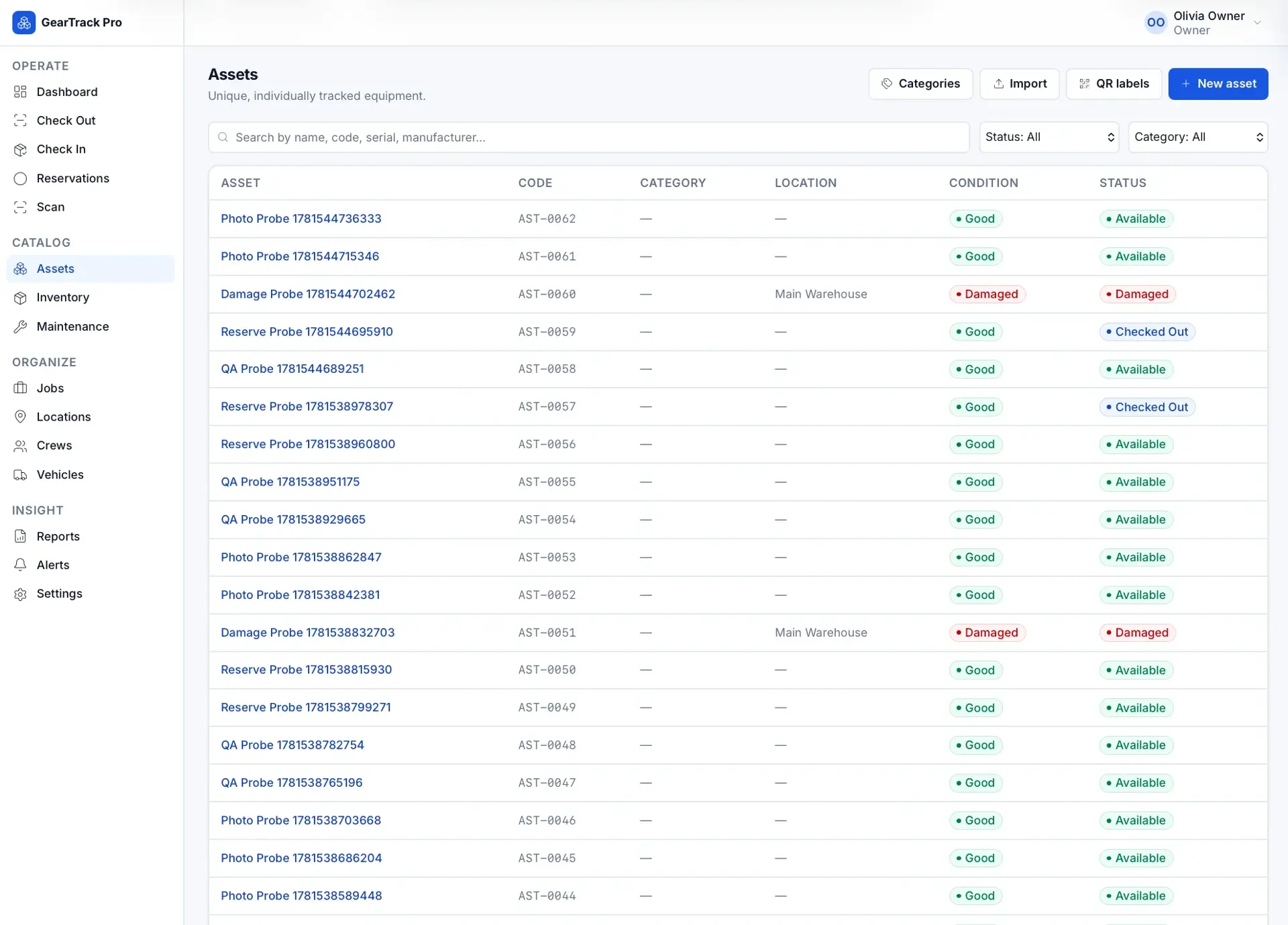
Assets catalog table of individually tracked probes with columns for asset name, code, category, location, condition, and status (available, checked out, damaged).
Assets catalog
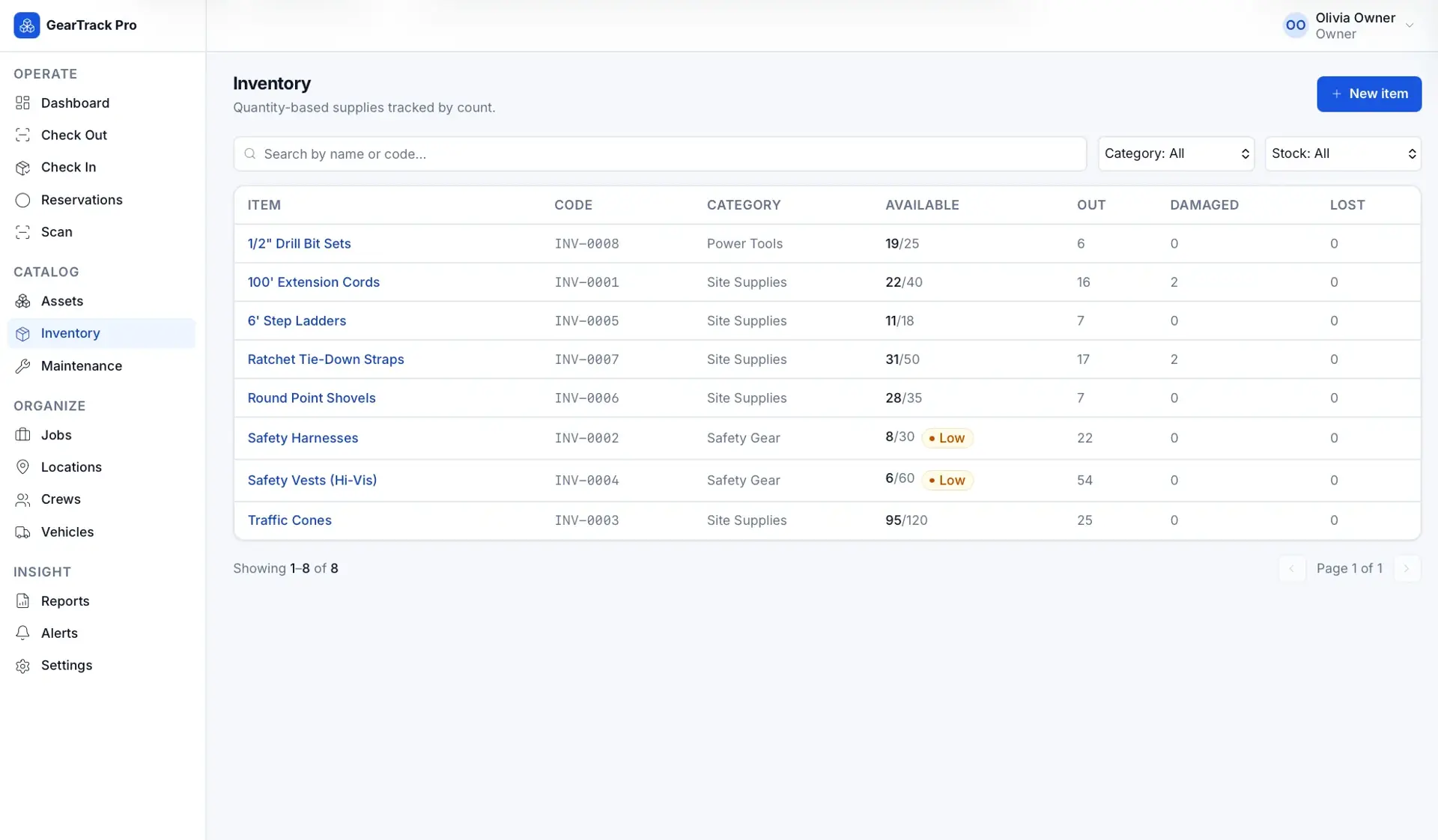
Inventory table of quantity-based supplies (drill bits, extension cords, safety gear) showing available/total counts, out and damaged quantities, with low-stock flags.
Inventory
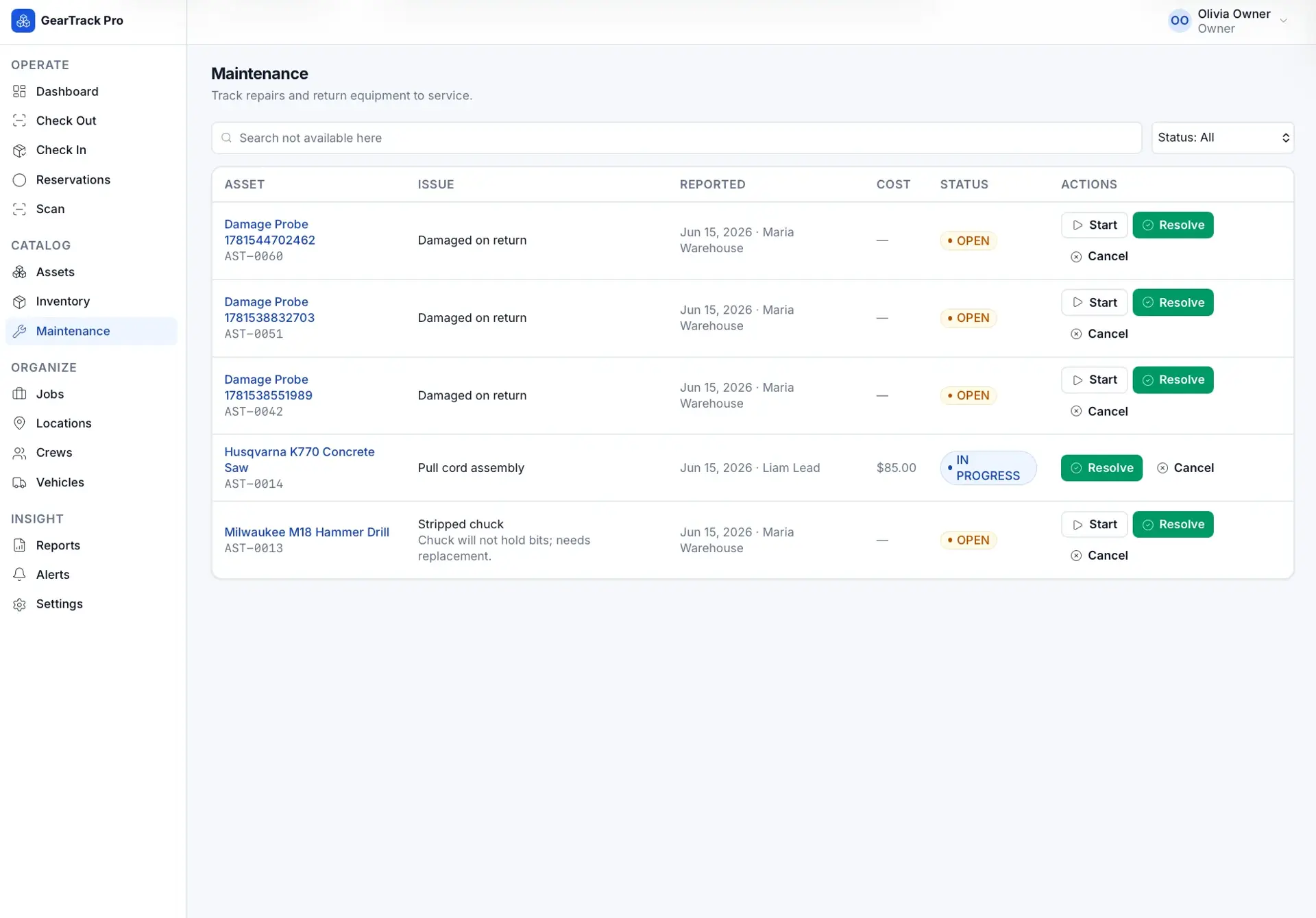
Maintenance table of repair tickets with asset, issue, reported date, cost, and status (open or in progress), plus Start, Resolve, and Cancel actions.
Maintenance tickets
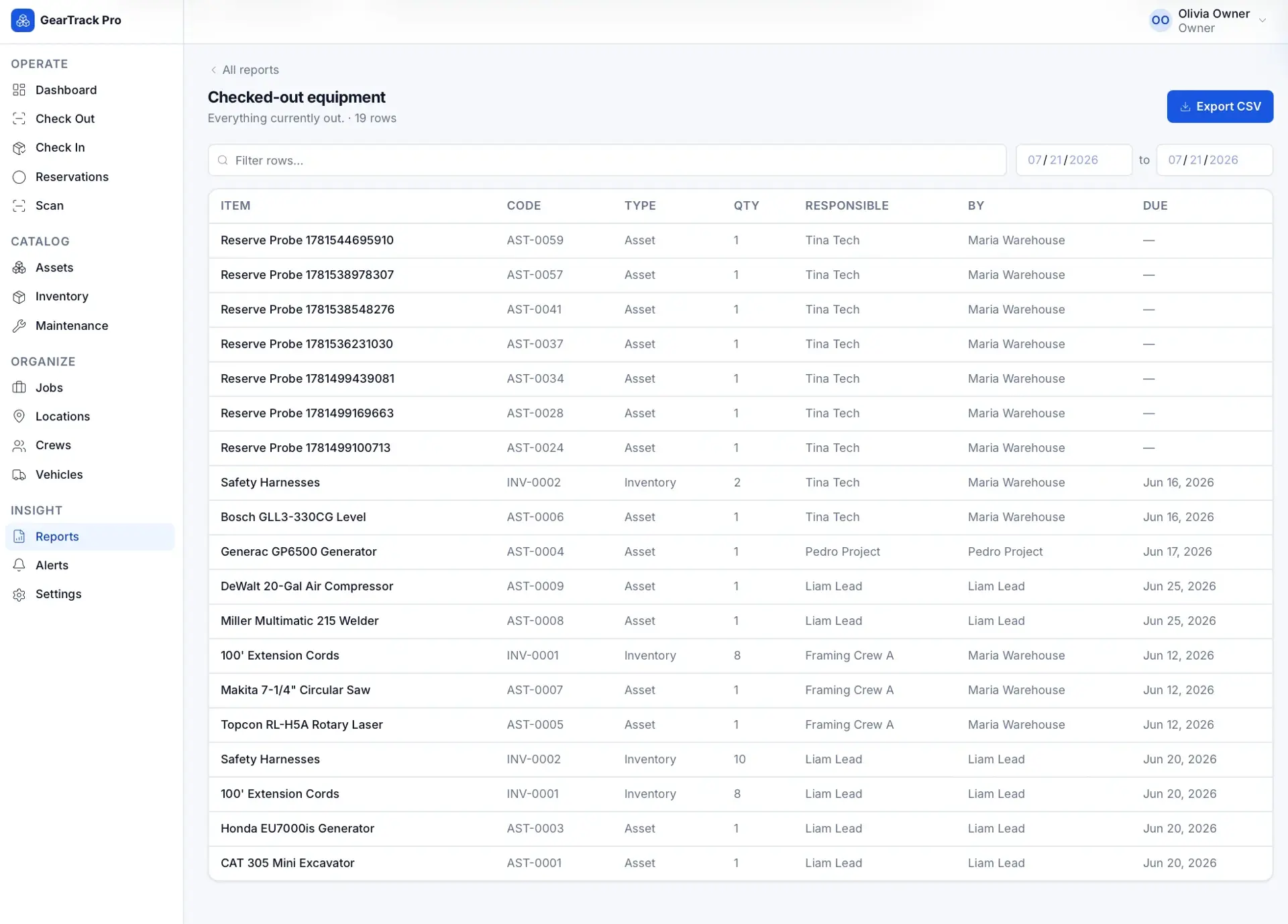
Checked-out equipment report (19 rows) with an Export CSV button, listing item, code, type, quantity, responsible party, checked-out-by, and due date.
Checked-out equipment report
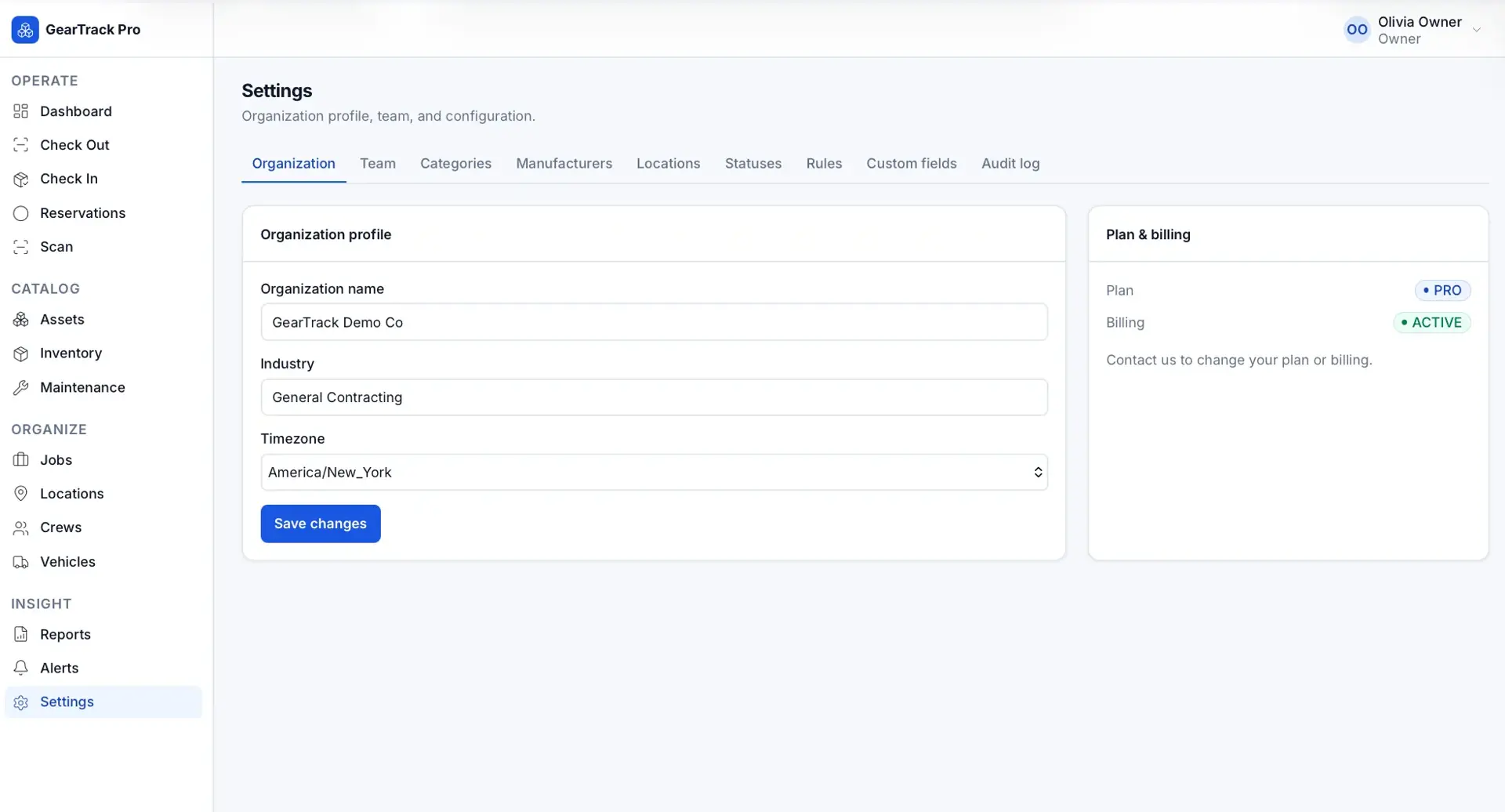
Settings Organization tab for GearTrack Demo Co with organization name, industry, and timezone fields, plus a Plan & billing panel showing a Pro, active plan.
Organization settings

How it is built

A Next.js/React frontend backed by Prisma over a SQLite datasource, with custom session authentication via jose, QR generation and in-browser scanning (qrcode and html5-qrcode), and Playwright end-to-end tests.

APIs and services

Resend
Twilio

Classification

Industries
Construction

Related work

SiteFlow Daily

In Development

Visual jobsite handoff and project timeline platform for construction crews and management.

RFI summary generator

In Development

AI command center that turns construction RFIs into summaries, risk scores, and executive reports.

PTO request tracker

Functional Demo

Simple PTO request and approval workflow for small teams, with secure one-click approval links.

Building something with similar Authentication, Multi-Tenant Architecture, Dashboards functionality?

Start a project and reference this one — the conversation begins with what you have already seen.

Start a project