 Built In Oasis

Supplement Tracker
Functional DemoInsurance supplement management for roofing contractors, with adjuster communication and AI.
Profit calculator and estimate builder for roofing, siding, and gutter contractors.
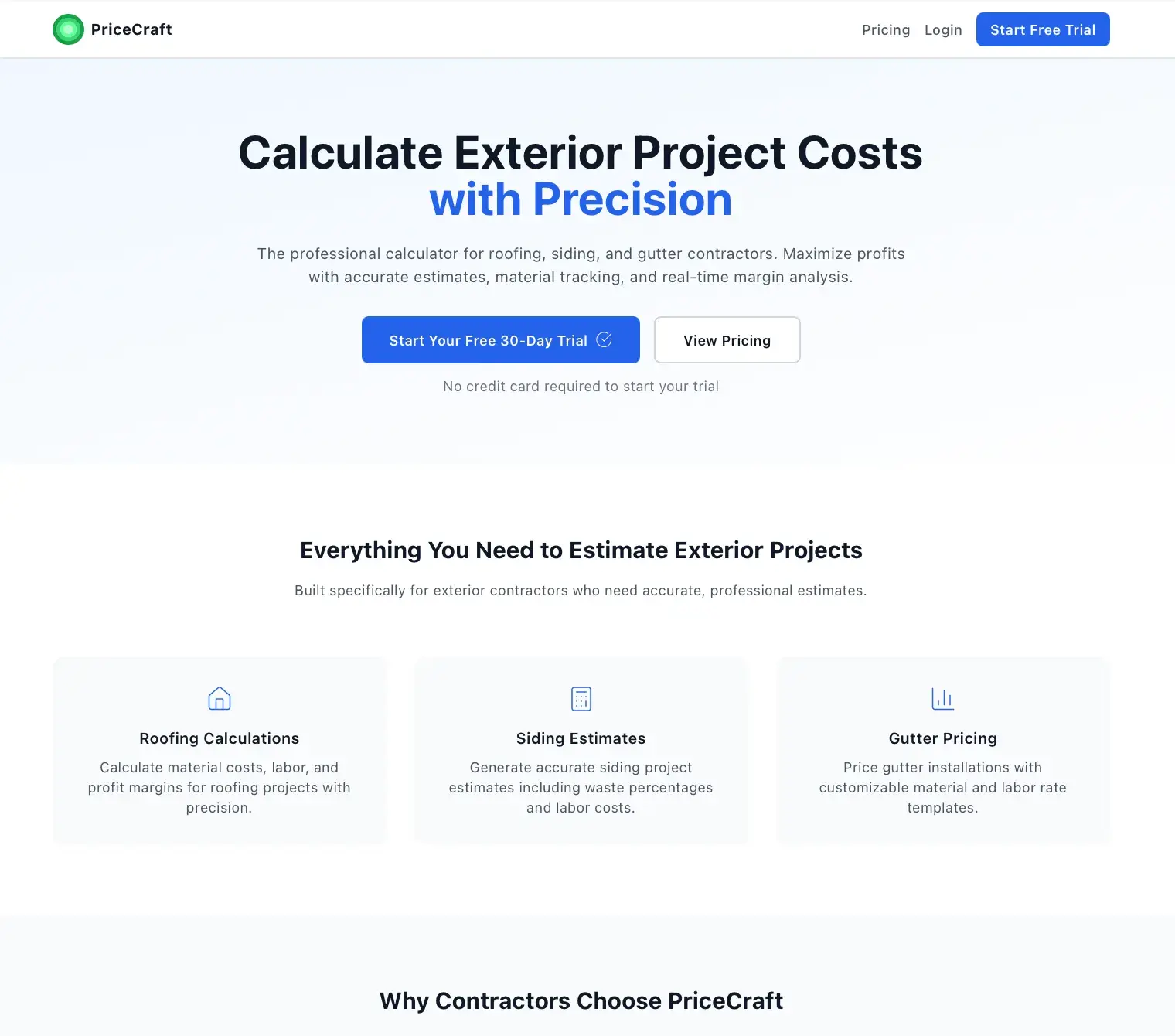
Exterior contractors often quote jobs without a clear view of their true profit after materials, labor, and overhead. Pricing decisions get made on gut feel, and margins erode when expenses like sales commission and office costs are not accounted for per job. This app opens directly into a calculator so a contractor can see profit dollars, margin, and break-even instantly.
Built for Exterior service contractors doing roofing, siding, and gutters.
Exterior Calculator computes job profit for roofing, siding, gutters, or a multi-service combination. Contractors configure their own material catalogs, labor rates, and percentage-based expense lines per service and save them as reusable templates, then enter quantities to see revenue, material and labor cost, expense breakdown, gross and net margin, and break-even price. It has grown beyond a calculator into an estimate builder with saved estimate templates, photos, and public shareable estimate pages. An insurance scope upload uses OpenAI to extract line items from PDF or image scope documents, and the app includes jobs, Stripe subscription billing, an embeddable widget, and CRM sync.
Implements a configurable financial model that turns per-service material, labor, and percentage-expense inputs into gross profit, net margin, and break-even in real time. Builds a document-extraction pipeline that reads insurance scope PDFs, falling back to OpenAI vision when a document is scanned or image-based. Adds Stripe subscription billing, public tokenized estimate sharing, an embeddable widget, and org-scoped multi-tenancy.
It opens straight into the calculator, no dashboards in the way, and shows profit, margin, and break-even the instant you enter a job.
Profit calculator
Roofing, siding, gutters, or multi-service with instant profit output.
Material catalog
Per-service materials with unit cost, unit type, and sell price.
Labor rates
Per-service labor priced per square, square foot, linear foot, or item.
Expense lines
Percentage-of-revenue overhead lines like sales commission and office cost.
Service templates
Saveable variable sets per service type with default waste percentage.
Estimate builder
Assemble full customer estimates from calculator inputs.
Estimate templates
Reusable estimate layouts with an editor.
Public estimate
Tokenized shareable estimate page for the customer.
Estimate photos
Attach and caption photos on an estimate.
Insurance scope extractionScope Extraction
Upload a scope PDF or image and extract line items via OpenAI.
Jobs
Track jobs alongside their estimates.
Subscription billing
Stripe checkout, price IDs, and webhook-driven subscription state.
Embeddable widget
A widget build for embedding the calculator elsewhere.
CRM sync
Push and pull job data with CRM Empire via API key.
Org settings
Organization-scoped configuration and approval ratings.
Net profit and margin
Entered directly or computed from per-unit sell prices.
Unit cost times quantity for selected materials.
Per-unit labor rate applied to job quantities.
Percentage-of-revenue overhead deductions.
Revenue less material and labor cost.
Gross profit less percentage expense lines.
Minimum price at which the job does not lose money.
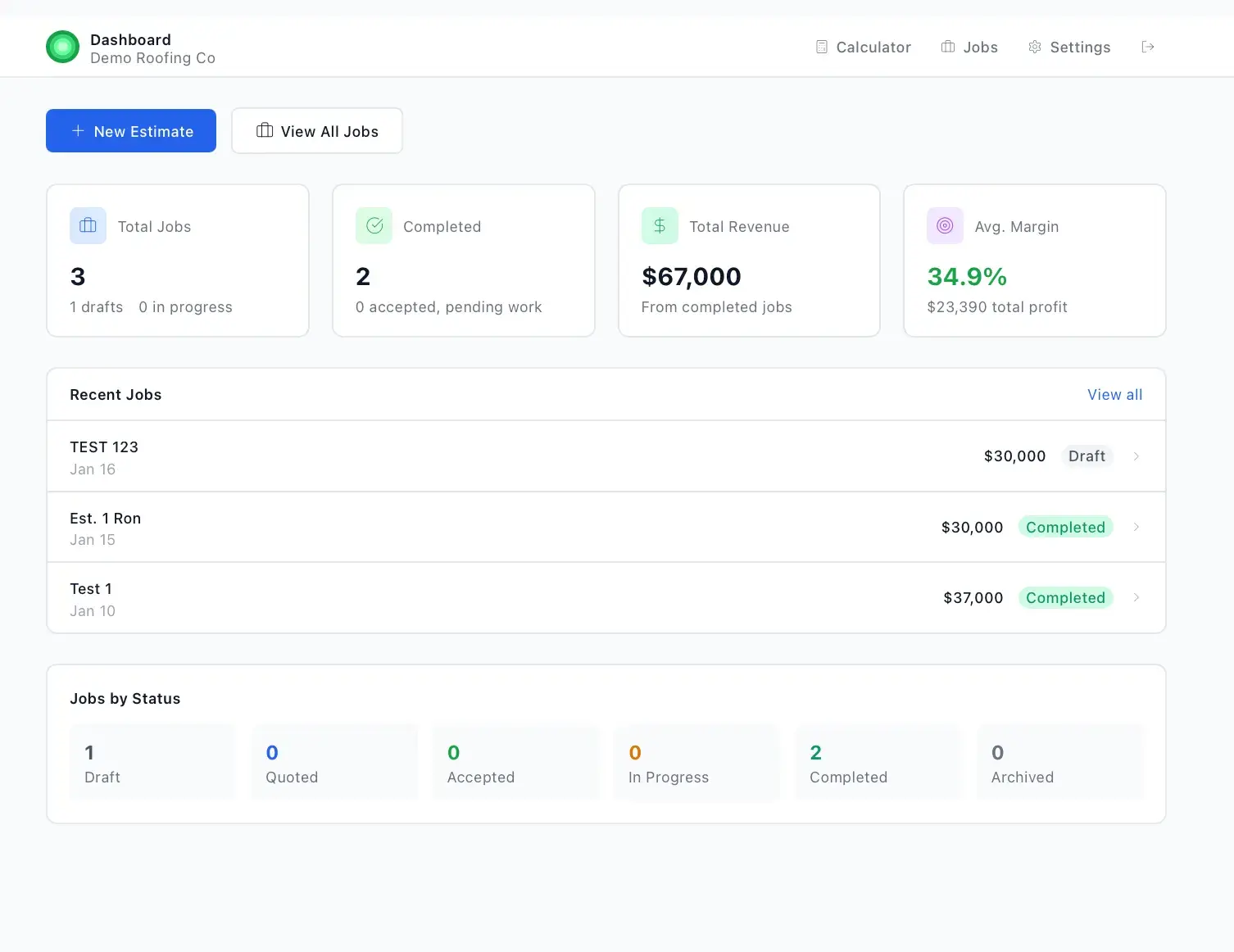
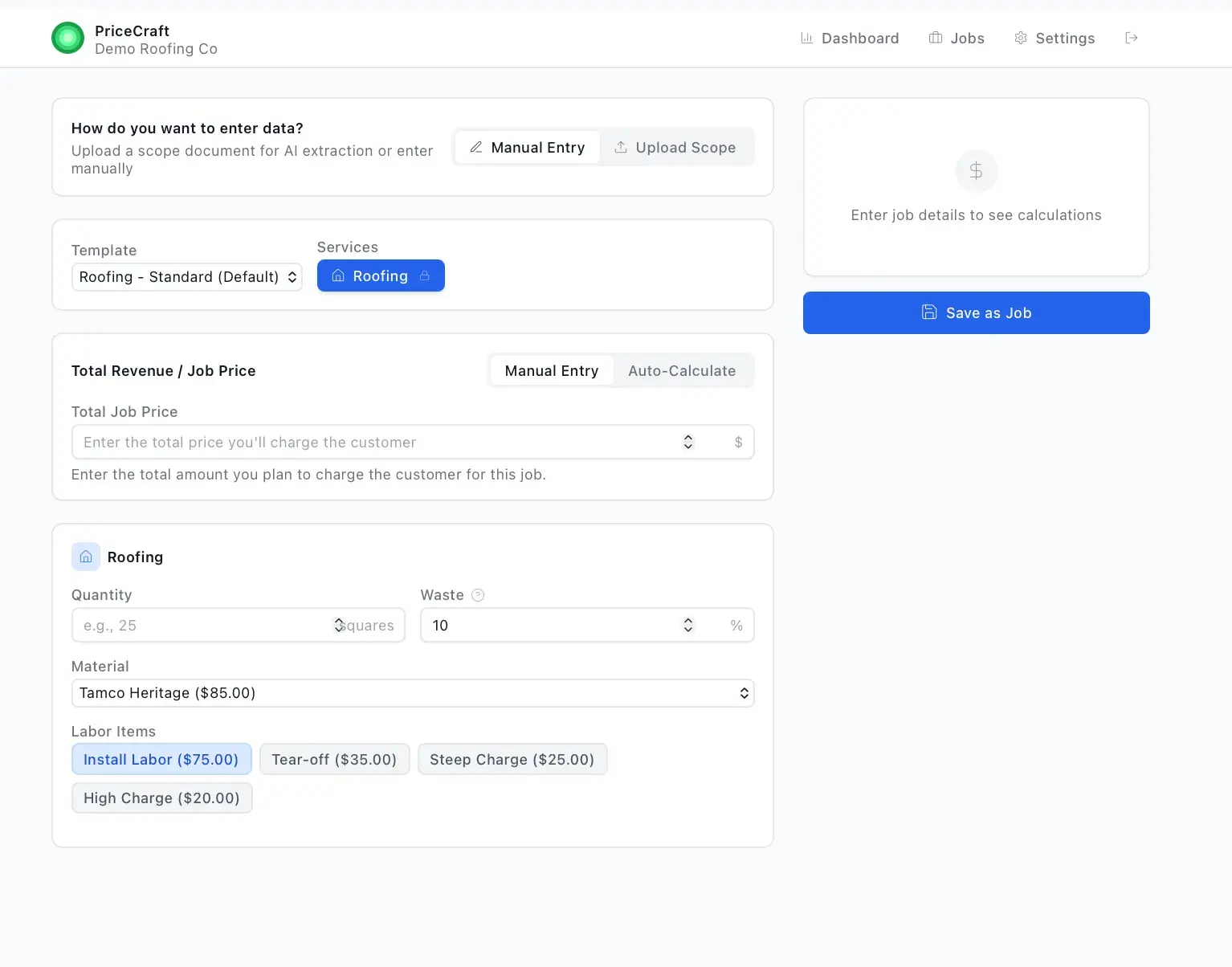
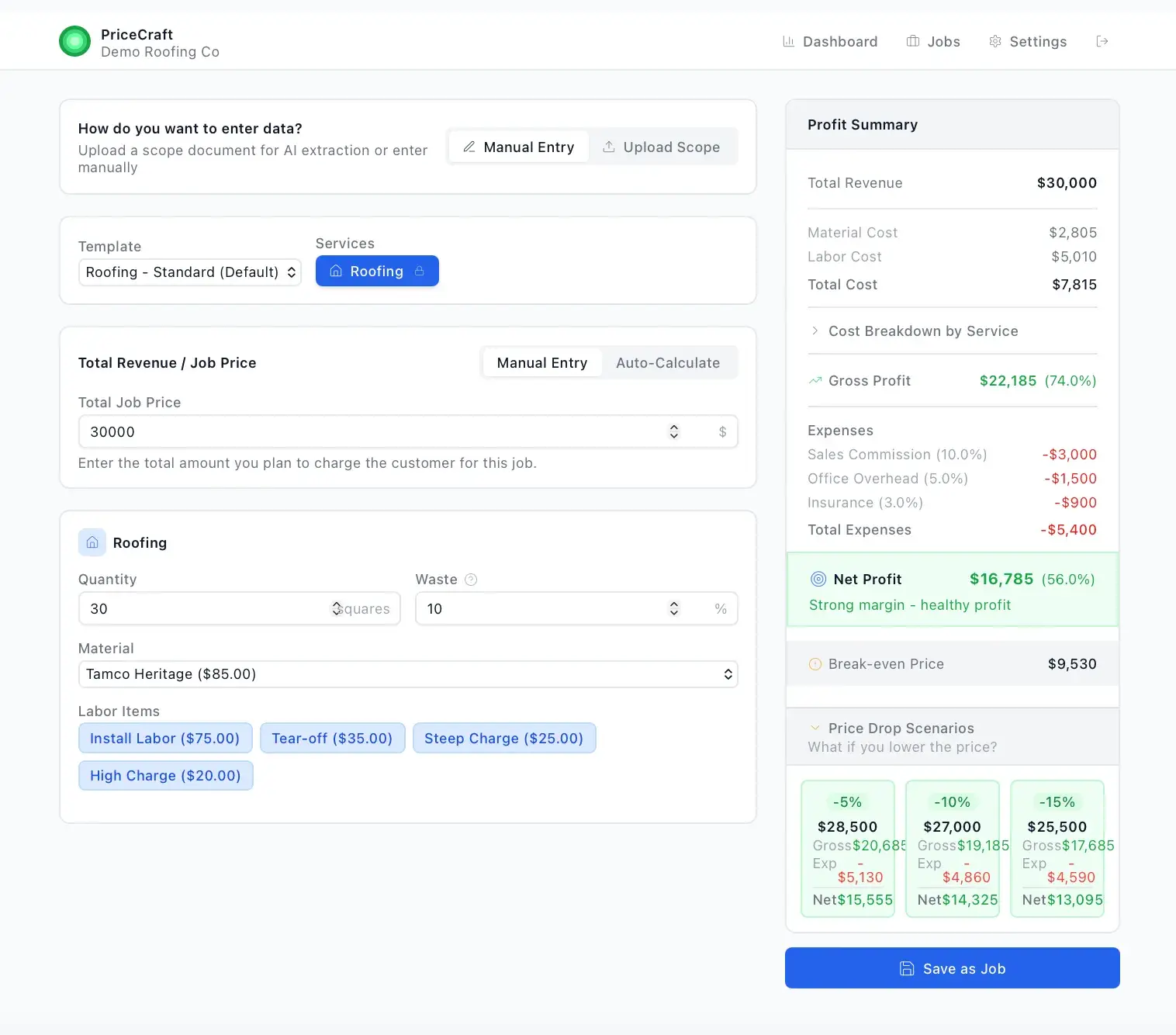
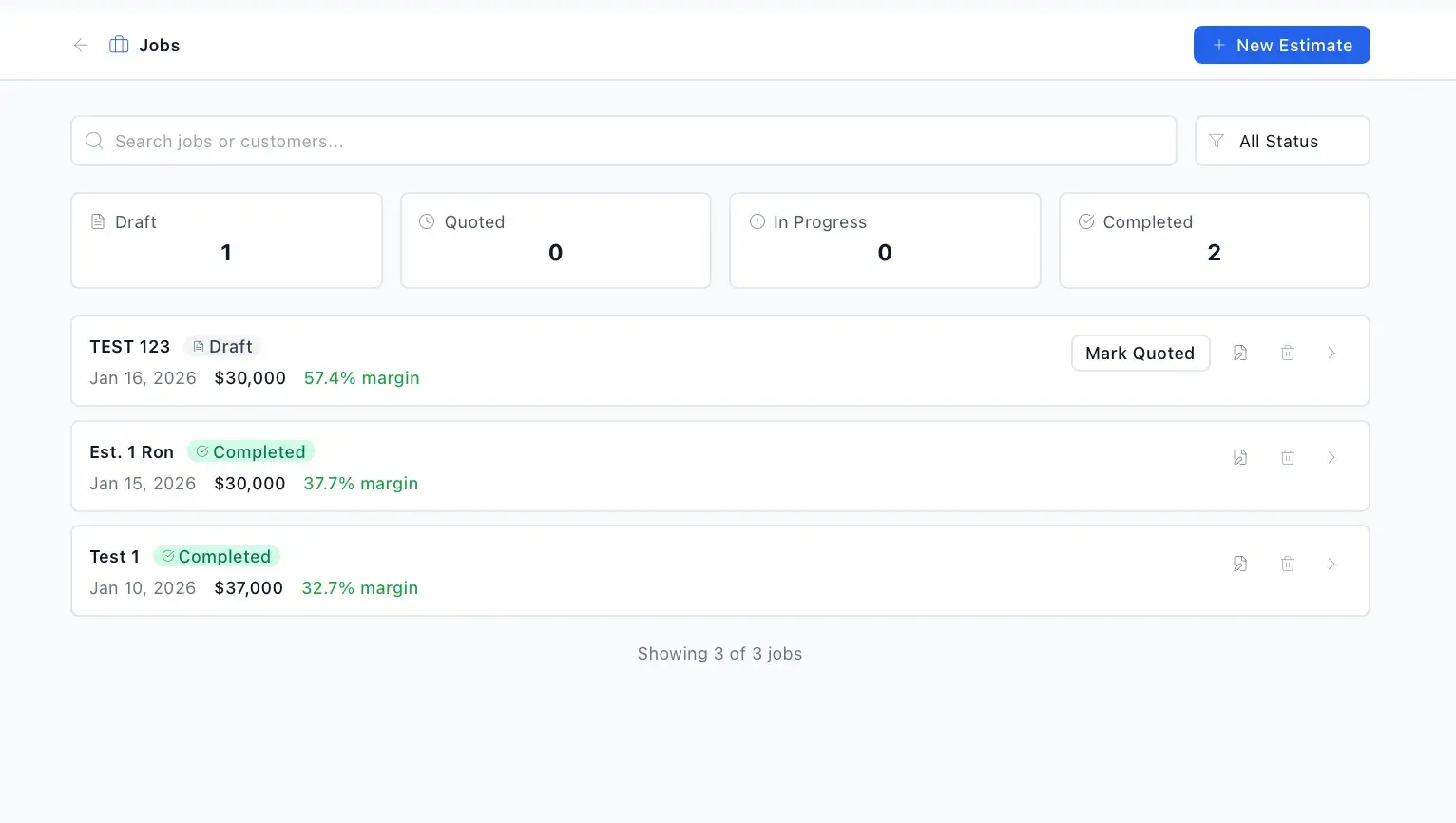
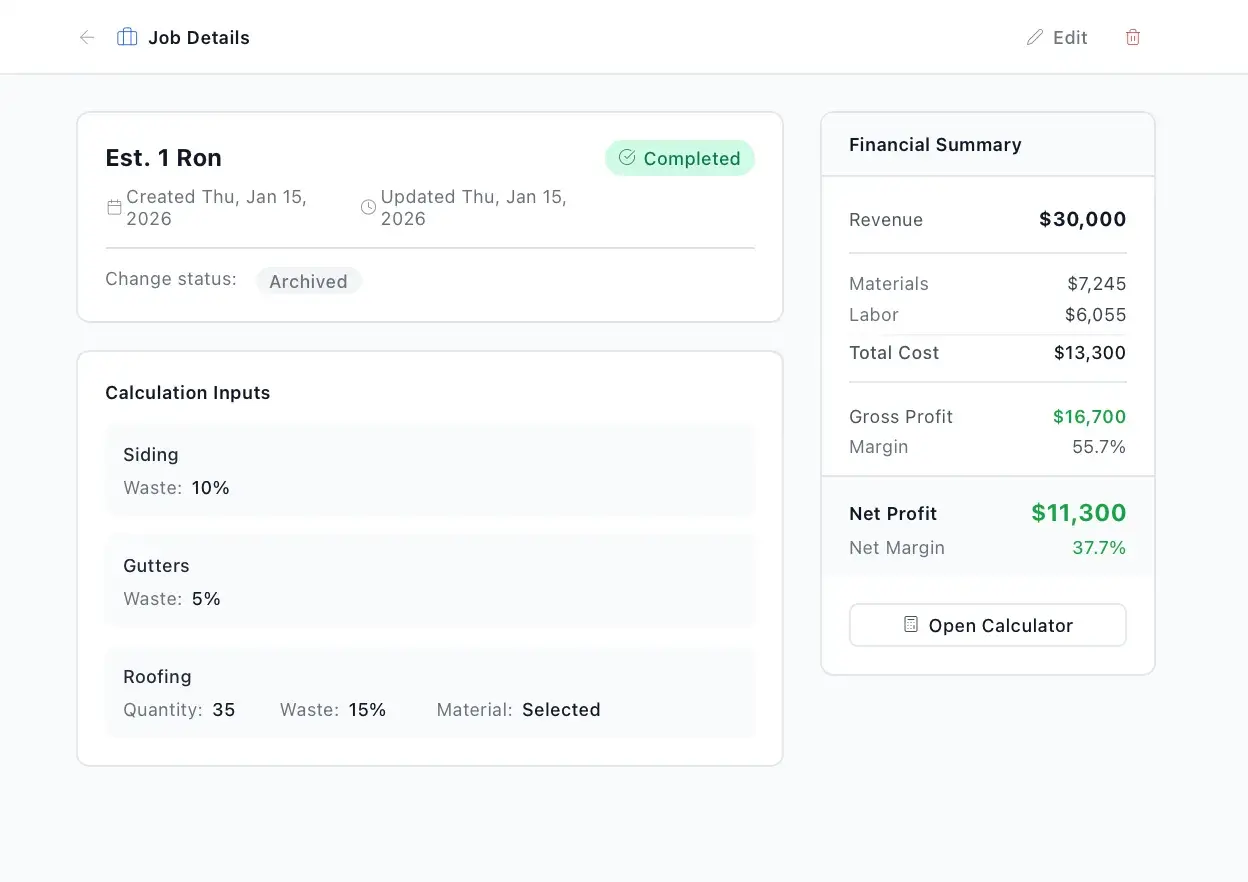
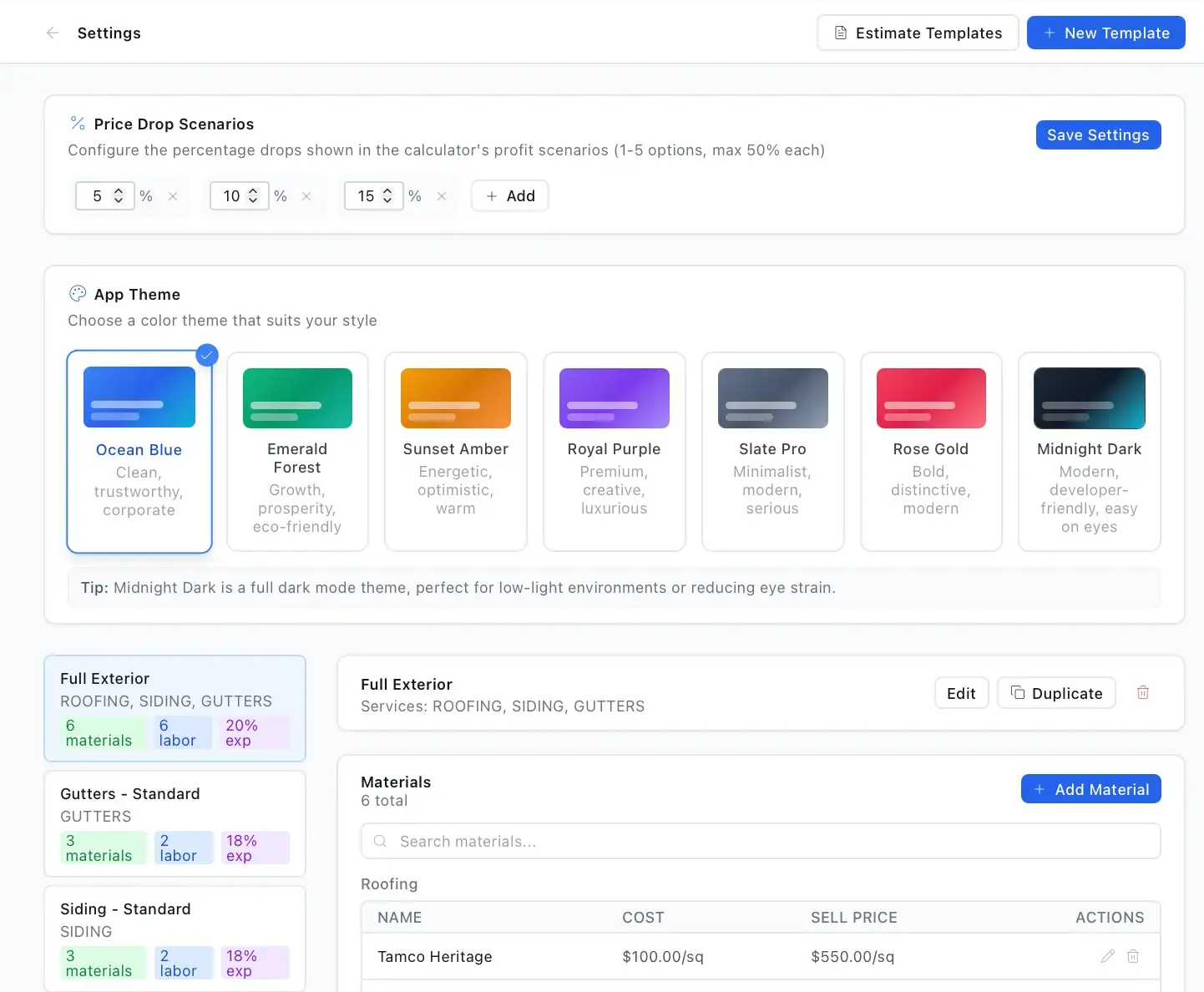
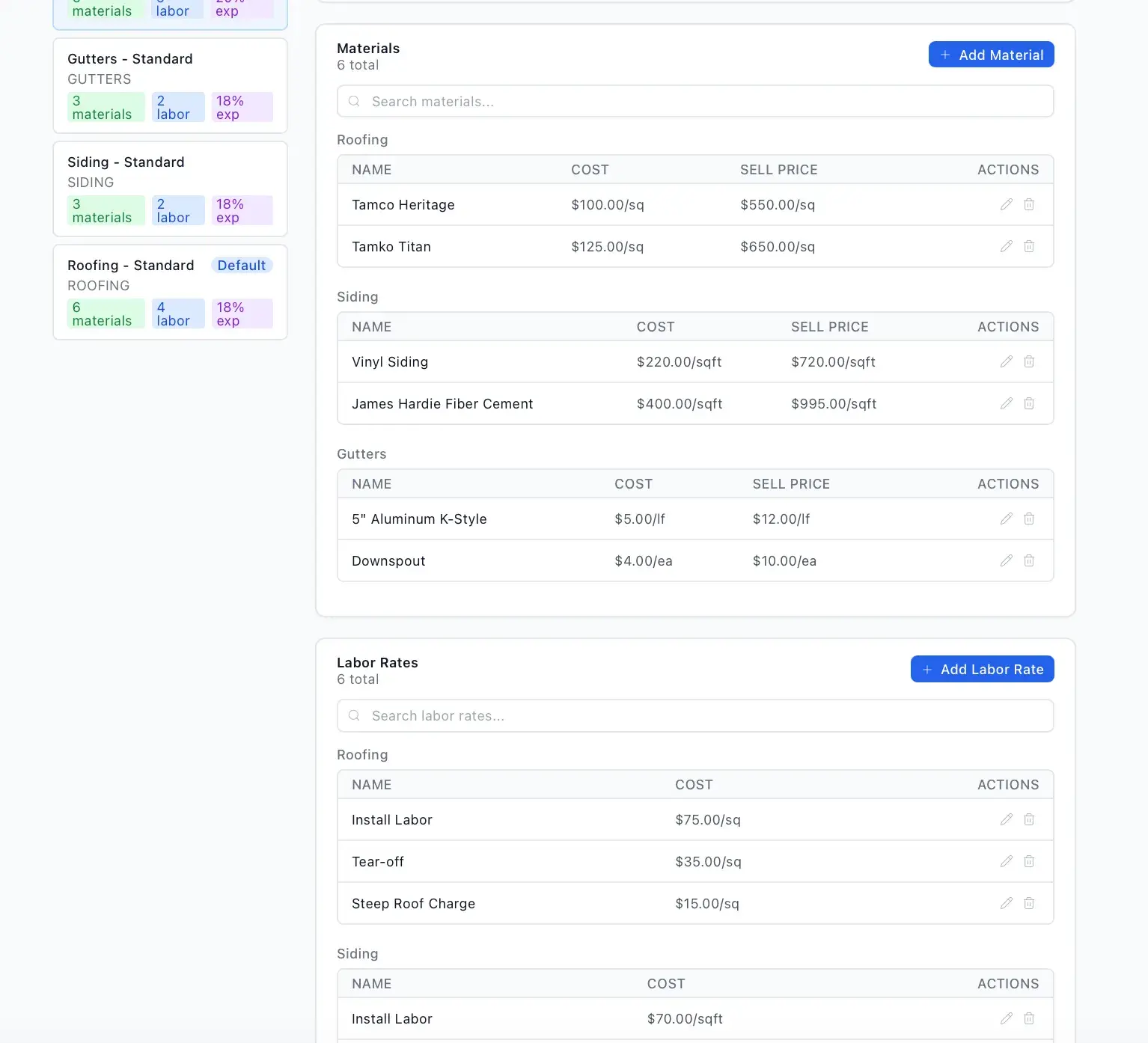
A React and Vite front end calls an Express API backed by PostgreSQL through Prisma. Uploaded scope documents are parsed for text or, when scanned, sent to OpenAI vision for extraction, with images handled by sharp. Stripe manages subscriptions and an embeddable widget plus CRM sync connect it to the wider app cluster.
Insurance supplement management for roofing contractors, with adjuster communication and AI.
Automated review requests with sentiment routing plus referral tracking and payouts.
Enter a property once and compare flip, hold, Airbnb, seller finance, BRRRR, and wholesale exits side by side.
Start a project and reference this one — the conversation begins with what you have already seen.
Start a project